Category: Accounting
If you're running a shop, showroom, trading counter, pharmacy, service desk, or parts outlet in the UAE, you may already have the same problem I see in many companies. Sales happen quickly at the counter, but finance closes the day manually. Stock moves out, but inventory updates later. Card payments, cash receipts, returns, and VAT evidence sit in different places. That setup doesn't scale, and it creates audit risk.
POS in software matters. Not as a standalone billing screen, but as part of your operational and accounting system. A modern POS should feed inventory, accounting, customer records, and compliance data in real time. If it doesn't, you're still doing patchwork.
For UAE and GCC businesses, the standard should be higher. You need clean VAT reporting, traceable transactions, bilingual workflows, and reliable operation across branches. That's why companies evaluating front-end sales tools should think beyond billing and look at ERP-connected control. In many implementations, that means treating the POS as one node inside a wider platform such as ERP software in the UAE, not as a disconnected add-on.
Take a closer look at your current process. If your cashier can complete a sale faster than your accounts team can verify it, the system design is wrong.
Chat on WhatsApp +971506228024 Quotation – Demo RequestBeyond the Cash Register The Role of POS in a Modern ERP
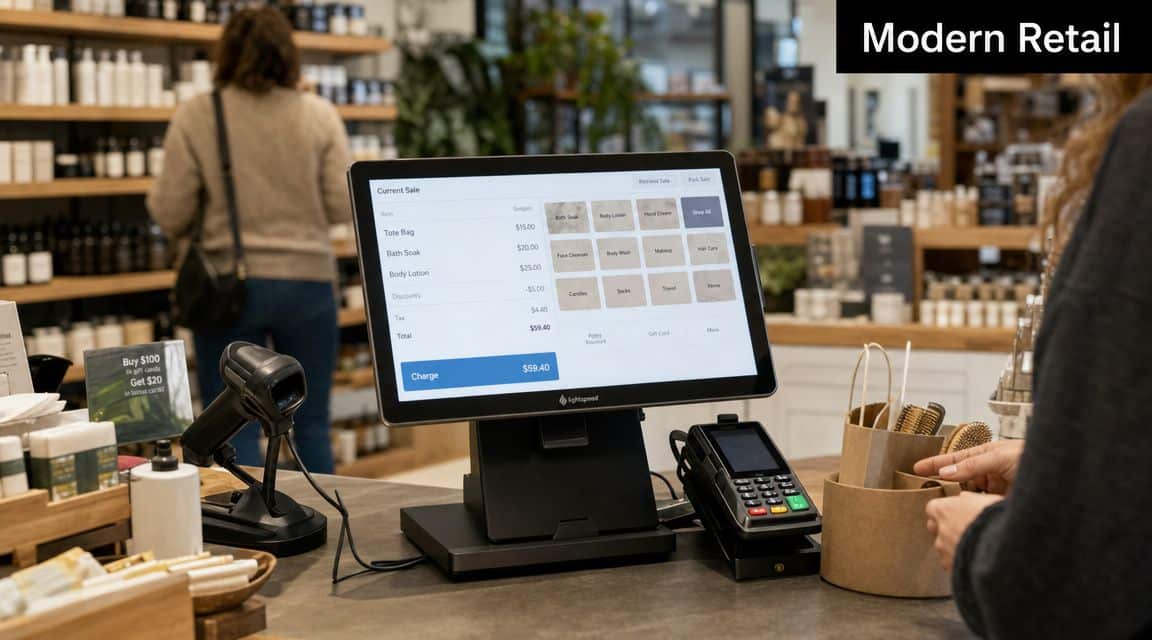
Most businesses start with the wrong assumption. They think POS is the machine on the counter. It isn't. In modern use, a POS is a hardware-software stack that processes transactions and also manages sales, inventory, customer data, and reporting, which means implementation quality directly affects stock accuracy and management visibility, as explained in Stripe's guide to point-of-sale systems.
That distinction matters because a sale is no longer just a payment event. It is an operational event. One checkout can generate item movement, payment allocation, tax evidence, customer history, cashier tracking, and posting data for finance. If your system captures only the total bill, you're losing the useful part of the transaction.
What a modern sale should create
A proper POS process should leave behind a usable business record, not just a receipt. At minimum, the system should capture:
- Sales detail: Item, quantity, price, discount, VAT treatment, and branch
- Payment evidence: Cash, card, transfer, wallet, mixed tender, and transaction ID
- Stock movement: Immediate reduction from the correct store or outlet
- User accountability: Which cashier, which shift, which terminal, which time
- Customer link: Walk-in sale, account customer, or loyalty-linked profile
That is the role of POS in software. It connects the front line to the back office.
Practical rule: If the POS can issue an invoice but can't update stock and accounting properly, it isn't finished.
Why UAE businesses should care
In the UAE, this isn't just about speed at the counter. It affects VAT support, branch reconciliation, refund control, and management reporting. A trading company in Dubai with multiple branches can't afford to discover stock problems at month-end. A retailer in Abu Dhabi shouldn't need separate spreadsheets to understand card settlements and cash variance.
ERP design becomes critical. When the POS sits inside a broader operational system, managers can review branch sales, stock exposure, and payment movement without waiting for someone to re-enter the day's activity. That is the difference between data entry and business control.
Chat on WhatsApp +971506228024 Quotation – Demo RequestCore POS Features Every Business Needs
Feature checklists are usually too generic. What matters is whether the function solves a real operating problem. For UAE retail, trading, hospitality, and service environments, the right POS features reduce delays, tighten control, and give finance cleaner evidence.
Modern POS reporting can capture sales, inventory, payment, customer, and product data from each transaction, allowing detailed performance reporting. This architecture supports fast-moving, multi-branch operations that need real-time stock visibility and payment traceability, and it can reduce transaction times by 30%, according to MyPOS on analysing POS data.
Sales processing and returns control
Basic billing isn't enough. Your POS must handle sales, returns, exchanges, voids, discounts, and tender splits with clean audit trails.
A return should reverse the original transaction logic properly. If your staff can refund without stock correction or reference to the original sale, you are inviting fraud, stock distortion, and VAT confusion.
For smaller outlets and growing retailers, systems such as small business software for billing become useful only when they move beyond invoice printing and support controlled day-to-day operations.
Payment handling and cashier discipline
Payment integration isn't a cosmetic feature. It affects reconciliation and control.
You should expect your POS to support:
- Multiple payment methods: Cash, card, bank-linked settlement, and mixed payment on one invoice
- Terminal traceability: Each payment should map back to a transaction reference
- Shift accountability: Opening balance, cashier movements, and end-of-day closing review
- Refund discipline: Controlled approval paths for sensitive payment reversals
When companies ignore this, finance teams spend too much time comparing receipt books, card slips, and manual summaries.
Clean payment data isn't only for the accountant. Store managers need it to investigate shortages and settlement mismatches quickly.
Inventory visibility at the point of sale
Many deployments fail. A common issue is staff selling first and asking about stock later.
A good POS should let the cashier or counter staff see current availability, reserve stock where applicable, and update inventory immediately after the sale. That matters in businesses with branch transfers, fast-moving items, expiry-sensitive stock, or customer promises for collection and delivery.
Consider a trading counter selling electrical items, hardware, or auto parts. If the POS doesn't check actual branch stock before confirming the invoice, staff will commit to goods they don't control.
Barcode use and speed
Barcode support isn't just about convenience. It removes manual item selection, lowers cashier error, and keeps pricing consistent. That becomes more important when the same item exists in multiple sizes, units, or variants.
For high-traffic stores, speed matters because slow counters create queue pressure, rushed staff decisions, and more mistakes. Faster checkout improves throughput, but only if the underlying item master, pricing rules, and stock records are accurate.
Reporting that managers can actually use
Most businesses don't need more reports. They need reports that answer operational questions.
Good POS reporting should help managers review:
- Branch performance: Which outlets are selling and which are stagnating
- Item movement: Fast-moving products, returns patterns, and dead stock signals
- Cashier activity: Discounts, voids, and unusual transaction behaviour
- Payment mix: Cash exposure versus card-heavy branches
- Customer buying behaviour: Repeat patterns and product preferences where customer data is captured
If your current system gives totals but not decision-grade detail, replace the reporting logic, not just the screen design.
Chat on WhatsApp +971506228024 Quotation – Demo RequestThe Power of Integration Connecting POS with Your ERP
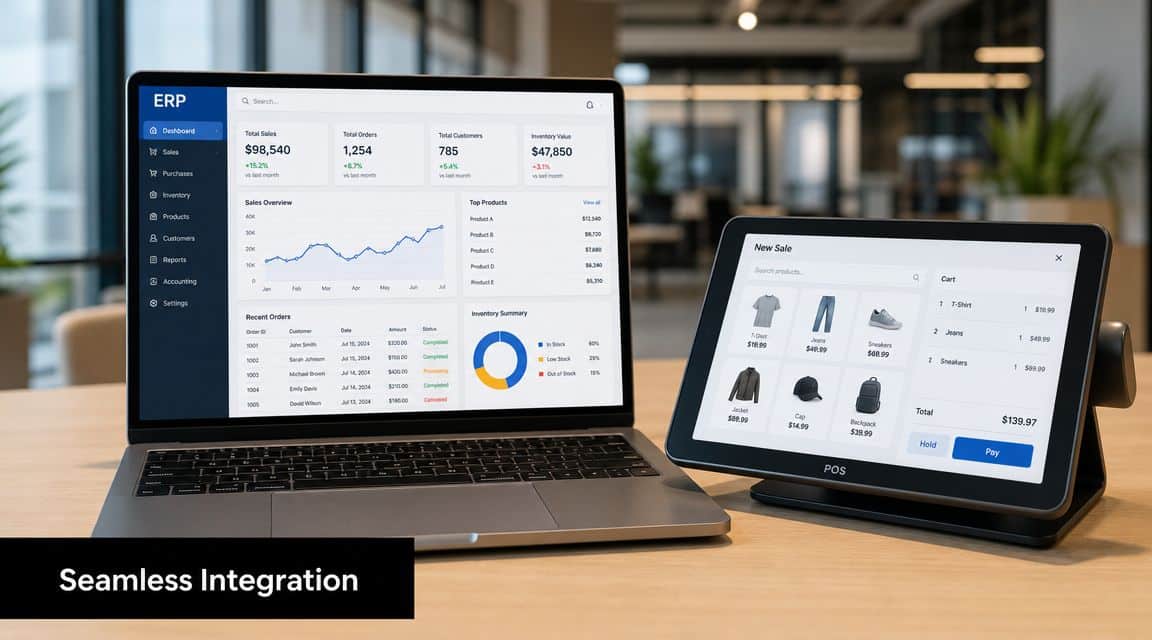
A standalone POS creates work. An integrated POS removes it.
The global POS market is projected to grow from $33.41 billion in 2024 to $110.22 billion by 2032, but the useful question isn't market size. The key issue is integration. Many vendors treat it as a feature checklist, while the practical challenge is preserving a single source of truth across finance, stock, and customer data, which is critical for VAT-sensitive businesses, as noted in NetSuite's article on point-of-sale systems.
Real-time accounting is not optional
If your POS completes a sale and your accountant posts it later, you don't have integration. You have delay.
A properly integrated setup should post sales values, tax components, receipts, and settlement-related accounting entries into the finance system with minimal manual intervention. That gives management cleaner daily figures and removes the common month-end scramble where accounts tries to rebuild store activity from summaries.
This is especially important in multi-branch trading and retail operations. Managers want to know what happened today, not what someone finished entering three days later.
Inventory must move with the transaction
POS without live stock impact is one of the most expensive design mistakes I see.
When the sale updates inventory instantly, the business gains:
| Operational area | What integration fixes |
|---|---|
| Branch availability | Staff can view current stock before confirming sales |
| Reordering | Purchasing decisions are based on actual movement |
| Transfers | Managers can move stock between branches with better timing |
| Cost control | Shrinkage and stock mismatch become easier to investigate |
A business that wants this level of control should evaluate how the POS connects to inventory accounting software, not just whether it can print receipts.
Customer data should not sit outside the system
Many companies separate front-counter activity from customer records. That's a mistake.
When customer information stays connected to POS transactions, the business can review purchase history, returns patterns, pricing agreements, and account balances in one place. This is useful in wholesale counters, service centres, pharmacies, and businesses with repeat buyers or account customers.
The best POS implementations don't create another database. They protect one clean operational record across sales, stock, and finance.
The implementation mistake to avoid
The most common failure isn't bad software. It's shallow integration.
A vendor says the POS "integrates" because it can export a file. That is not enough. Real integration means no duplicate item masters, no re-keying of sales totals, no separate tax logic, and no mismatch between the branch stock screen and the general ledger impact.
In practical terms, if a UAE retailer uses an ERP platform such as Hinawi ERP, the POS side should feed accounting, stock, and reporting directly instead of sitting beside them as a disconnected billing tool. That's the standard decision-makers should demand.
Chat on WhatsApp +971506228024 Quotation – Demo RequestEnsuring Compliance and Business Continuity in the GCC
Cloud POS is often sold as if connectivity problems don't exist. That advice is careless. Retail counters, restaurants, garages, service centres, and branch outlets still need to trade when broadband fails, a payment line goes down, or a location has unstable connectivity.
A major underserved issue in POS planning is offline resilience. Modern POS products need offline mode, cached transactions, and backup connectivity to keep selling during outages, which is a real risk for high-uptime businesses where uninterrupted service is critical, according to TechSee's guidance on POS support.
Offline mode should be a buying requirement
Ask every vendor a direct question. What happens if the branch loses internet during trading hours?
If the answer is vague, reject the system. You need a clear continuity model that covers:
- Cached transaction capability: The terminal should continue recording eligible sales locally
- Recovery workflow: The system should sync cleanly once connectivity returns
- Payment handling rules: Staff must know which tenders can continue safely during outage periods
- Fallback connectivity: Branches should have a backup communication option where practical
- Terminal contingency: Spare devices and documented procedures should exist for busy locations
That isn't overengineering. It's basic operational discipline.
Compliance needs transaction-level evidence
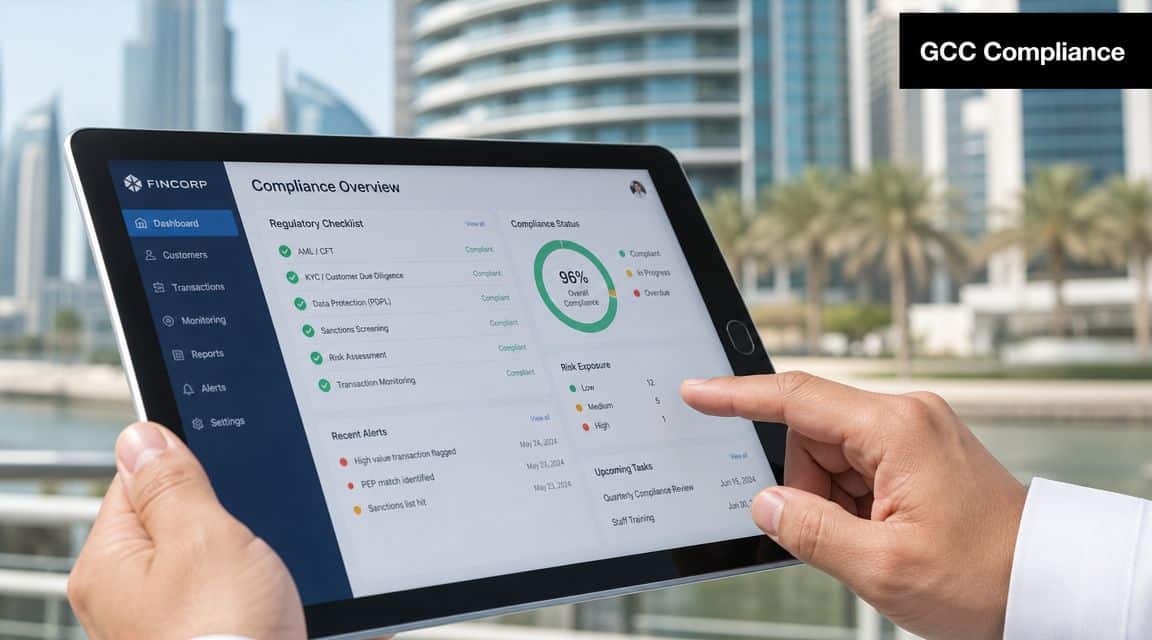
VAT and e-invoicing don't tolerate weak source records. Businesses need clean transaction detail, consistent tax handling, and traceable invoice history. When the POS is integrated properly, each sale creates the evidence finance and auditors need instead of forcing staff to reconstruct it later.
For UAE businesses preparing for stronger digital compliance expectations, POS design should support the accounting and invoicing framework from the start. That includes customer details where required, tax treatment, item-level values, and reliable posting logic tied into systems built for e-invoicing in the UAE.
Audit perspective: The question isn't whether the sale happened. The question is whether you can prove exactly how it happened.
Common GCC failure points
These issues come up repeatedly in reviews of retail and trading environments:
- Different tax logic by branch: One outlet applies rules differently from another
- Manual end-of-day summaries: Finance receives totals, not transaction records
- Poor reversal control: Credit notes and returns are issued without proper linkage
- Disconnected online and physical sales: Stock and tax records drift apart
- No outage plan: Staff stop billing or start writing manual slips when the system fails
Each of those problems creates extra work. Some create direct compliance exposure.
The right POS in software does two jobs at once. It keeps the branch operating, and it leaves behind defensible records.
Choosing the Right POS Solution for Your Business
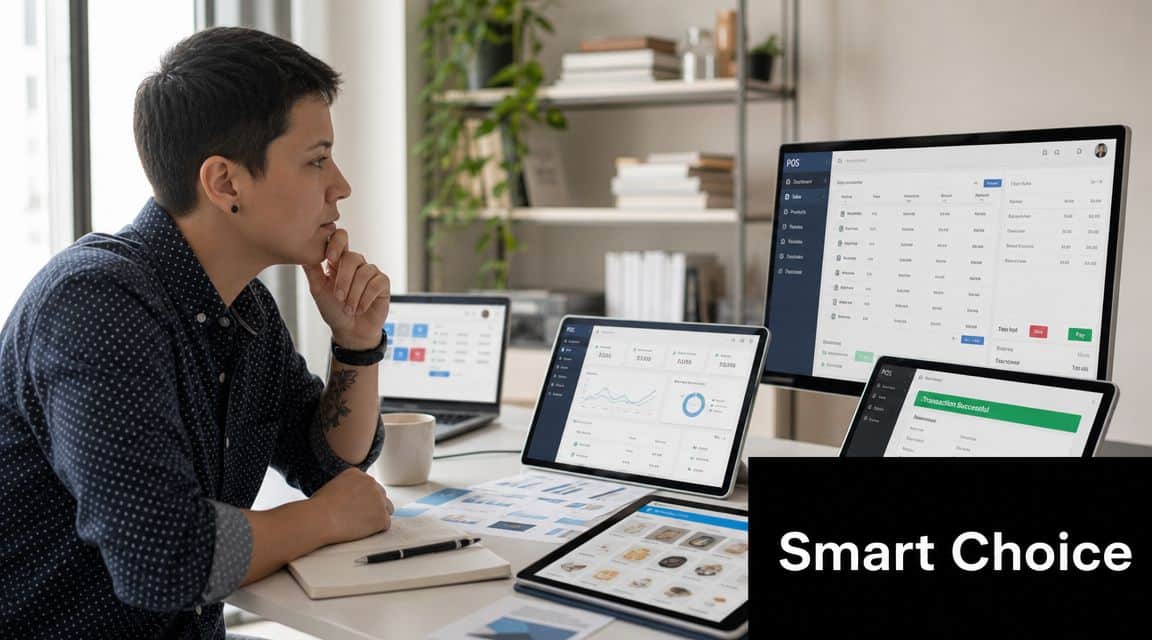
Don't choose a POS by interface alone. Attractive screens hide weak architecture all the time. You need to evaluate deployment, hardware fit, support model, integration depth, and total cost.
For GCC buyers, software-hardware compatibility matters, and businesses often budget about 2% to 3% of annual retail volume for POS systems. Recurring costs for maintenance and support also materially affect total cost of ownership, as outlined in Star Micronics' POS software and hardware buyer's guide.
Questions every buyer should ask
Use vendor meetings to test operational realism, not just product demos.
How does the system behave offline?
Ask for the exact outage workflow, sync behaviour, and user limitations.What posts automatically into accounting?
Don't accept "it integrates". Ask which entries are created, when, and with what controls.How are stock updates handled?
Confirm whether sales, returns, exchanges, and branch transfers all affect inventory correctly.What hardware is supported?
Check printers, barcode scanners, cash drawers, payment devices, tablets, and terminal operating environments.What does support include after go-live?
Many businesses buy software and then discover the main problem is poor support during branch expansion or process changes.
Look beyond licence cost
The cheapest proposal often becomes the most expensive after implementation. Recurring support, upgrades, training, device replacement, and process rework all shape the actual spend.
Use this simple decision lens:
| Decision factor | Weak approach | Better approach |
|---|---|---|
| Architecture | Standalone POS | ERP-connected POS |
| Inventory | Batch sync later | Real-time update |
| Accounting | Manual summary posting | Controlled posting logic |
| Compliance | Receipt-focused | Audit-ready transaction data |
| Continuity | Internet dependent | Offline-capable workflow |
Non-negotiable controls
A serious business should insist on these controls from day one:
- User permissions: Staff should see and do only what their role allows
- Transaction logs: Every edit, void, return, and price override must be traceable
- Approval workflow: Sensitive actions should require supervisor review
- Branch-specific settings: Pricing, stock location, and document rules must be controllable without chaos
Buying a POS is not buying a screen. It is choosing how your sales operation will affect accounting, stock, compliance, and management control for years.
Practical POS Scenarios for UAE Businesses
A Dubai trading company with several branches often runs into the same issue. One branch sells fast-moving items all day, another branch sits on excess stock, and head office only discovers the imbalance after staff export reports and compare spreadsheets. Once the company uses an integrated POS model, branch sales reduce stock immediately, managers can review movement by location, and transfer decisions happen before stockouts become customer complaints.
The same logic applies in service businesses. An Abu Dhabi garage may accept payment at the front desk, but the actual work sits behind the scenes. If the POS only records billing, the workshop still has to update parts consumption, close the job, and tell accounts what happened. When POS activity is tied to work orders and stock, the payment closes the service transaction properly and finance gets a cleaner result.
A good POS process should finish the transaction operationally, not just financially.
These are not unusual cases. They are everyday GCC operating problems caused by disconnected systems. Once the business treats the POS as part of its ERP environment, the conversation changes from "What did we sell?" to "What changed in stock, cash, tax, customer history, and profitability?"
Chat on WhatsApp +971506228024 Quotation – Demo RequestTake the Next Step with Hinawi ERP
If your business is still treating POS as a receipt printer with a cash drawer, it's time to fix the design. UAE and GCC companies need tighter control than that. They need front-end sales linked to accounting, stock, compliance, payroll, and management reporting in one system.
Hinawi ERP UAE is a fully integrated ERP software developed since 1998 in Abu Dhabi. It supports Accounting, HR & Payroll, Real Estate Management, Fixed Assets, Manufacturing, Garage & Maintenance, School Management, CRM, and complete business automation. For businesses in the UAE and GCC, that means one platform for VAT and e-Invoicing compliance, UAE WPS payroll support, Arabic and English bilingual operation, flexible company policy settings, and real-time accounting integration across all modules.
It fits the practical needs of factories, contracting companies, real estate businesses, schools, garages, trading companies, and manufacturers. The value is straightforward. Reduce manual work, improve financial accuracy, strengthen compliance, and give management a live view of operations instead of delayed summaries.
Visit www.hinawierp.com or request a personalised demo if you want to see how an integrated ERP and POS approach can work for your business in the UAE or wider GCC.
A CTA for Explorer Computer LLC – Hinawi Software ERP.