Feature setup is essential for setting the company’s regulations, arrangements, and control policy
Before recording any operations, the user must set up the company file.
If these settings are not made, the customer may find that the results do not comply with its policies and need to re-enter its operations.
Therefore, settings are vital when using the software. It’s very important to understand this. The setup unit is the most important step and must be done before using the software.
Using CRM-Help allows businesses to improve their customer service and increase retention rates. CRM-Help provides tools that make managing customer interactions seamless and efficient.
The effectiveness of CRM-Help is evident through its ability to consolidate customer information, making it easier for teams to access critical data.
Furthermore, CRM-Help includes analytics features that help businesses make data-driven decisions to better meet customer needs.
By utilizing CRM-Help, companies can create personalized marketing strategies that resonate with their audience.
CRM-Help is not just a tool; it is an essential component for businesses aiming to enhance their customer relations.
The user-friendly interface of CRM-Help simplifies the process of tracking customer interactions.
Additionally, CRM-Help supports mobile access, allowing users to manage customer relationships on the go.
Through effective use of CRM-Help, businesses can improve response times and enhance customer satisfaction.
CRM-Help is designed to integrate seamlessly with existing systems to provide a comprehensive view of customer data.
The features of CRM-Help empower teams to collaborate more effectively and share insights.
Moreover, CRM-Help helps in identifying trends in customer behavior, enabling proactive service improvements.
With CRM-Help, businesses can nurture leads more effectively and turn them into loyal customers.
Using CRM-Help provides businesses with a competitive edge in today’s fast-paced market.
In conclusion, leveraging CRM-Help can significantly impact your business’s growth and customer retention strategies.
CRM-Help is vital for those looking to maintain strong customer relationships through effective management.
Reports and Benefits
Comprehensive reports allow users to analyze inquiries, quotations, tasks, documents, and communications. Reports can be filtered, customized, exported to Excel, and printed. Additional features include reminders, approval workflows, document management, customizable templates, user access levels, and full support for Arabic and English. CRM
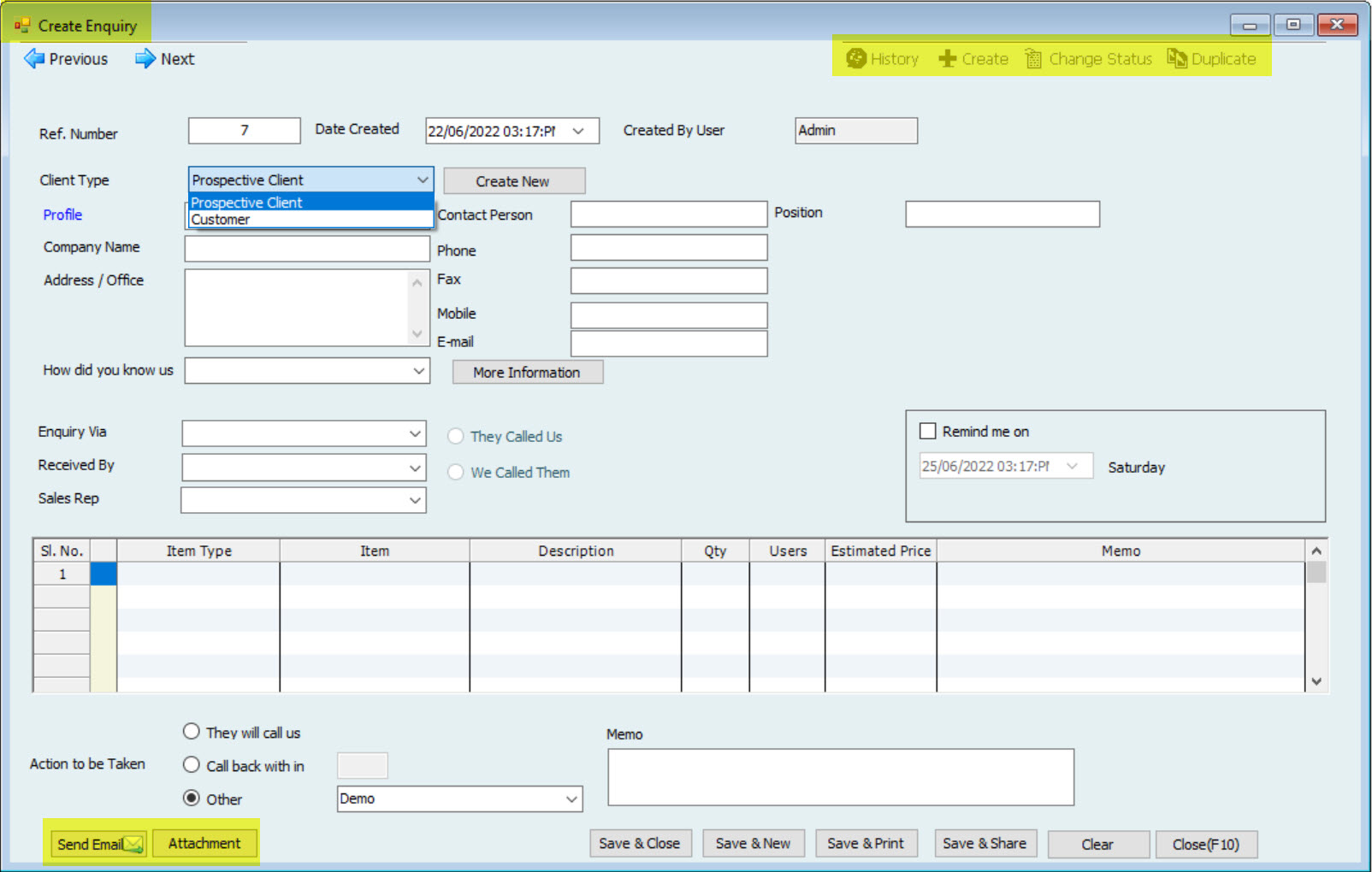
Users can approve the Enquiry received and can be approved & make a Quotation from it.
2. Quotation
The quotation form has many functionalities in it like
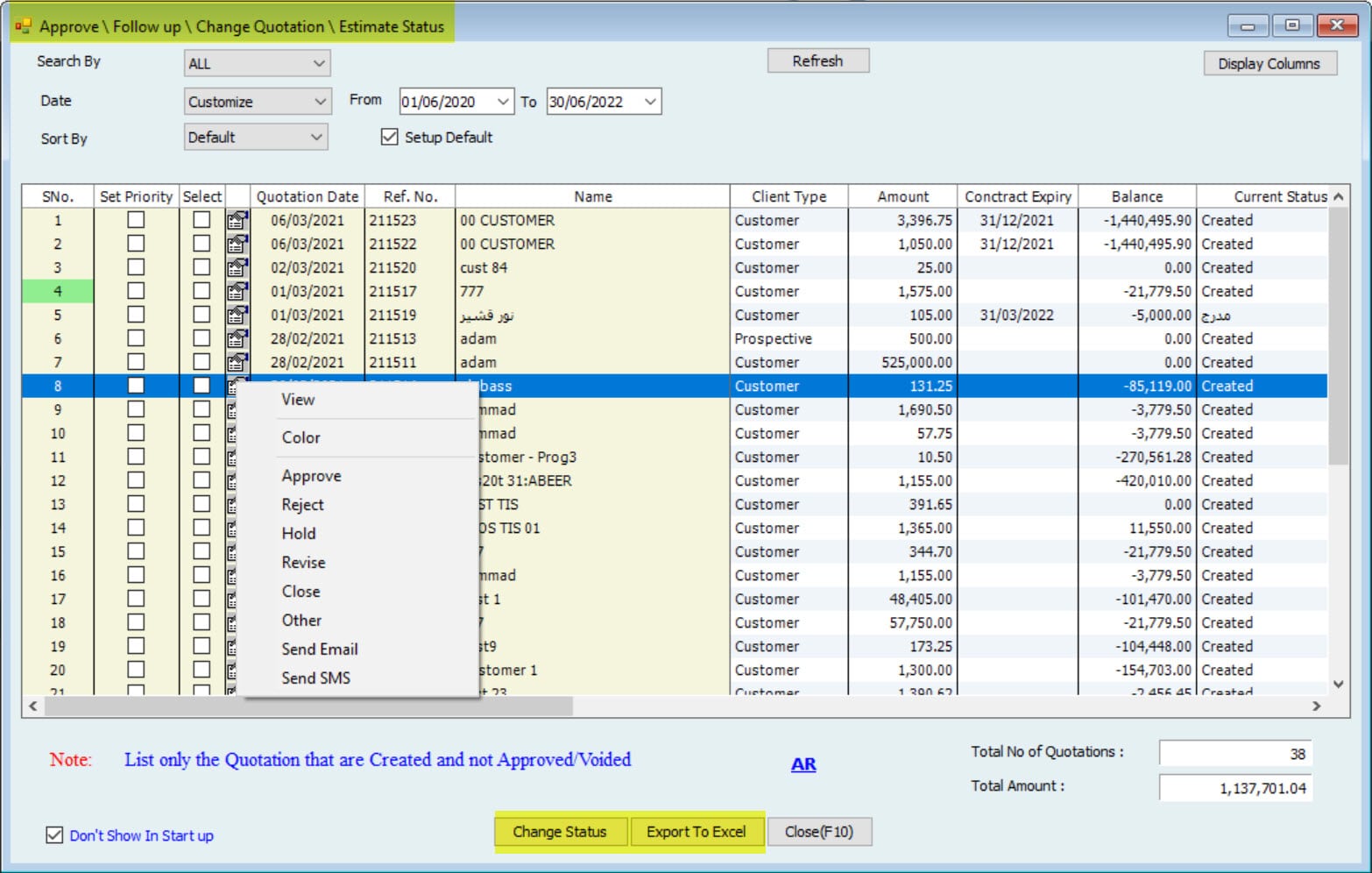
Multiple Statuses are available in the Quotation; the User can change the Quotation status from the form itself.
Duplicate the transaction
Convert the Approved Quotation to Delivery or Invoice from the form itself
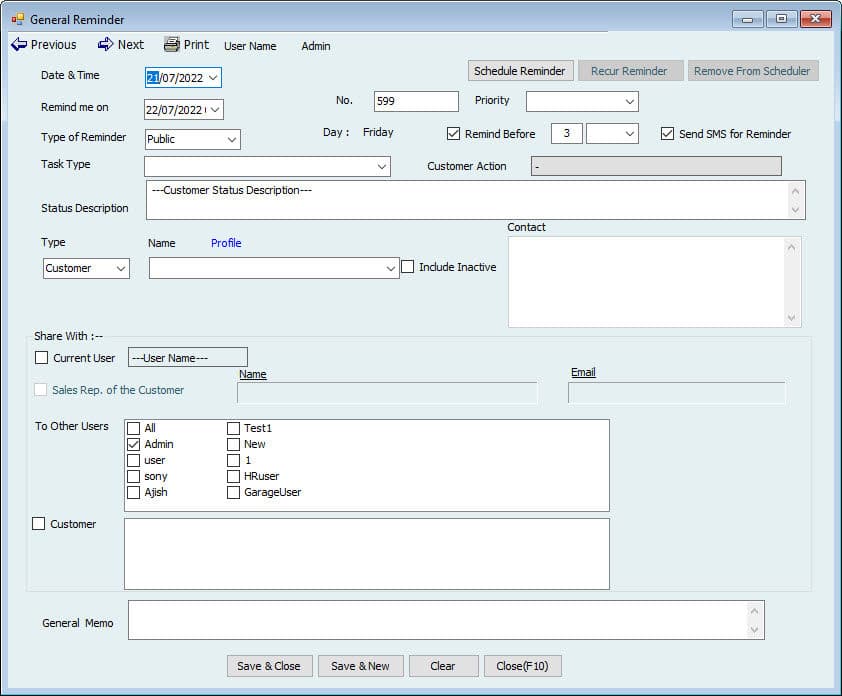
3. General Reminder
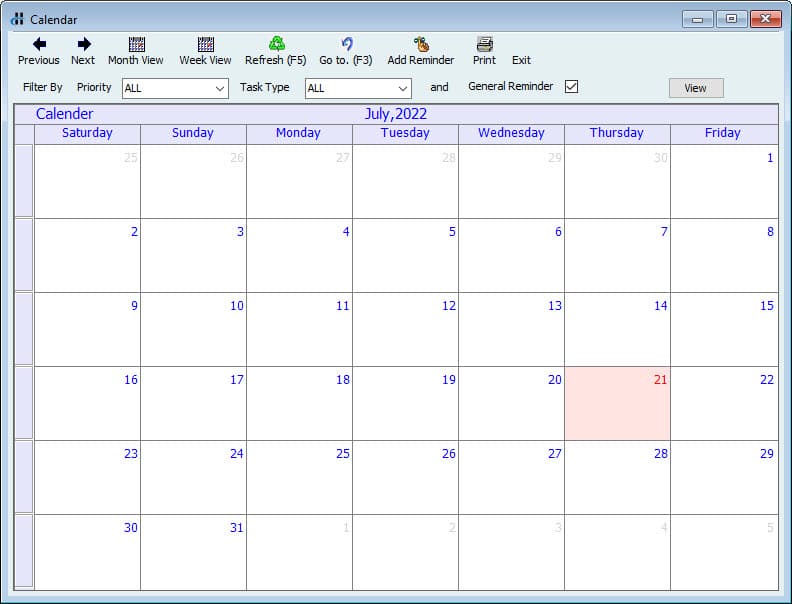
Users can schedule reminders inside the system. This will be linked with the Calendar.
Users can Recur the saved reminders. Recur setup can be made daily, weekly, monthly
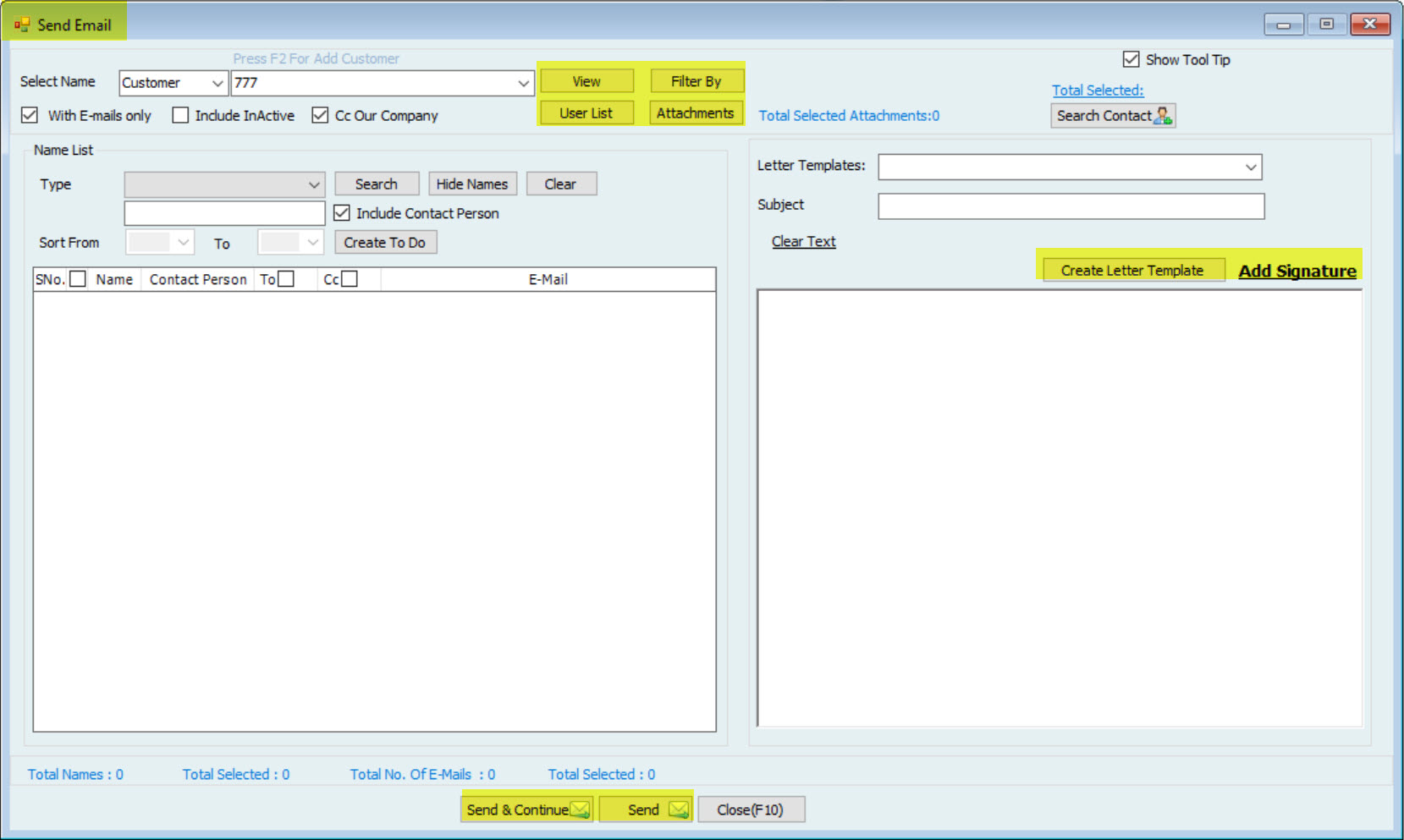
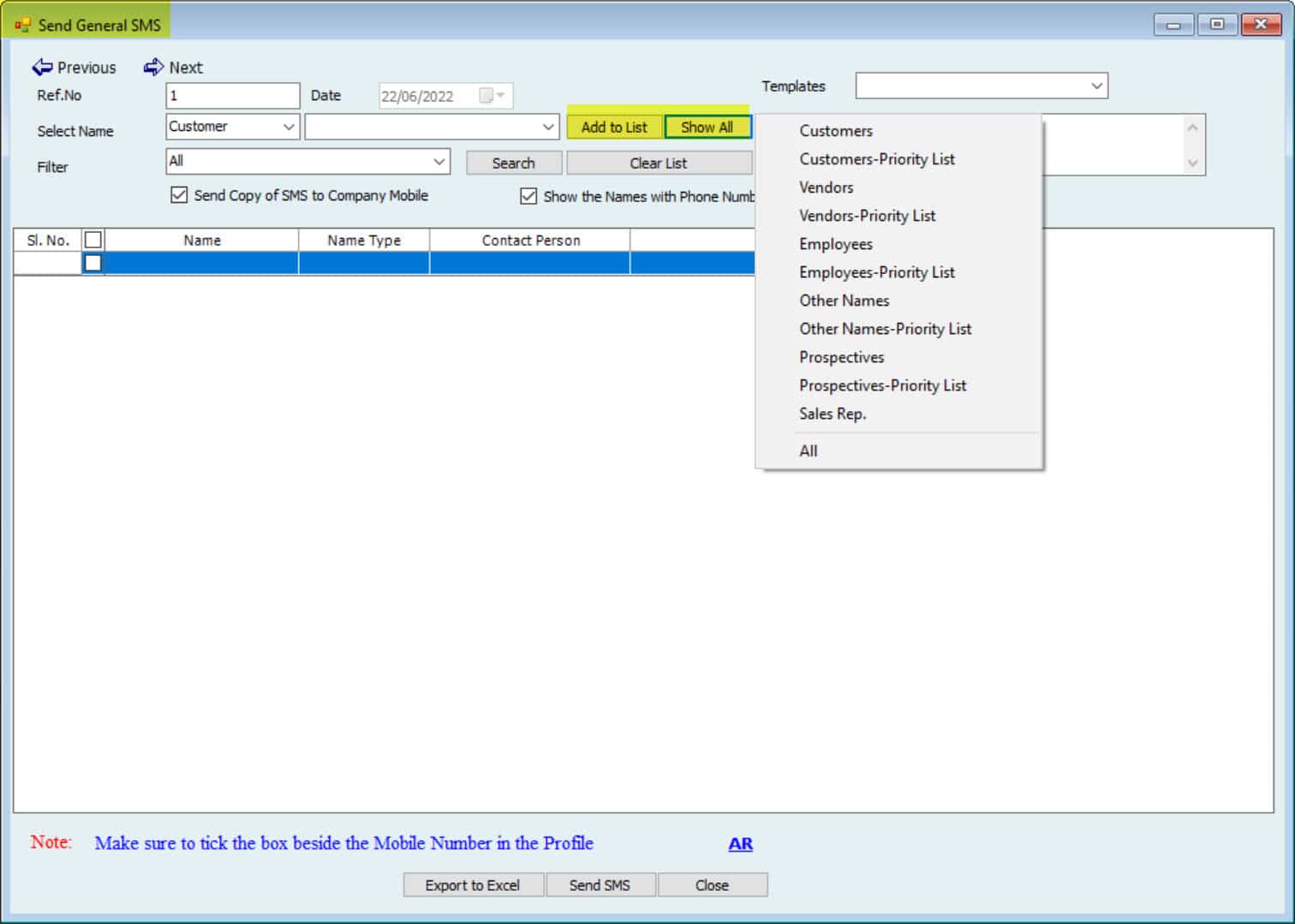
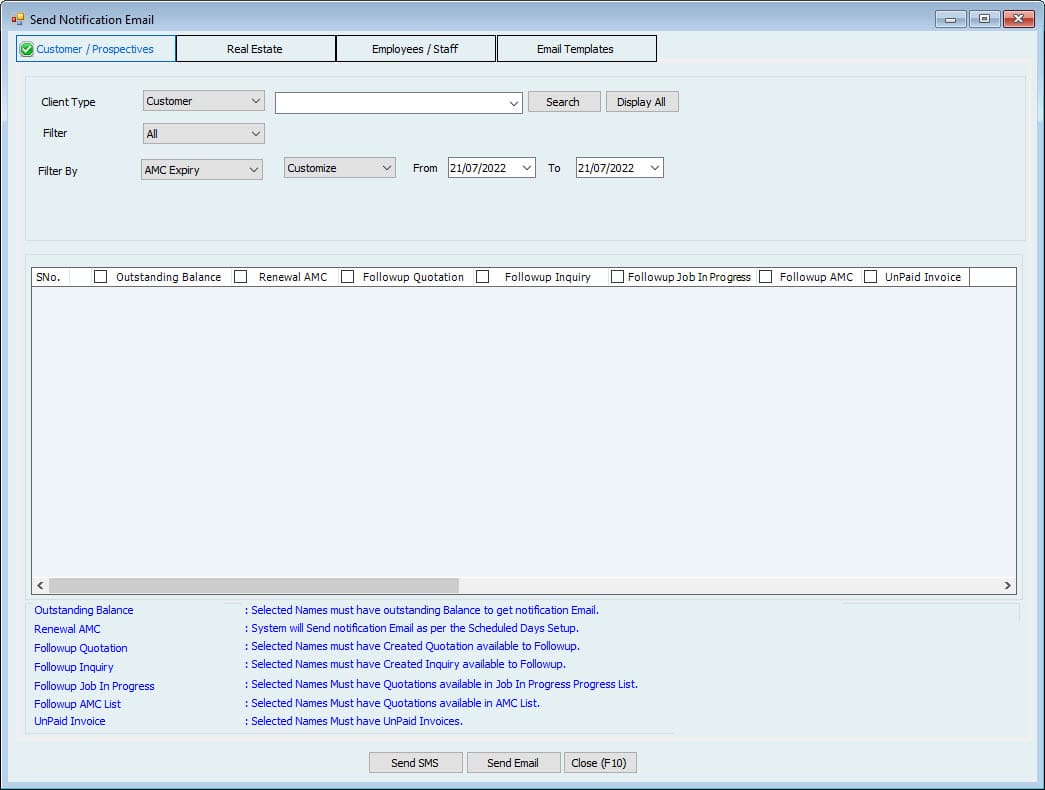
4. Send and Schedule SMS & Email Notifications
Outstanding balance notification to selected name: The User can schedule \ send an email notification to selected names for the outstanding balance
Renewal AMC: User can schedule \ send an email notification to selected names for AMC expiry
Follow-up Quotation: The User can schedule \ send email notifications to request the status of the Quotation.
Follow-up Inquiry: The User can schedule \ send an email notification to request the Inquiry status.
Follow-up Job In Progress: The User can schedule \ send email notifications for follow on the Job in Progress requested
Unpaid Invoice: The User can schedule \ send email notifications for follow-up the unpaid Invoices
Users can schedule \ send notifications of the Real estate module for the following.
Contract Expiry
Tenant Passport Expiry
Tenant Visa Expiry
Trade License
Payment Due
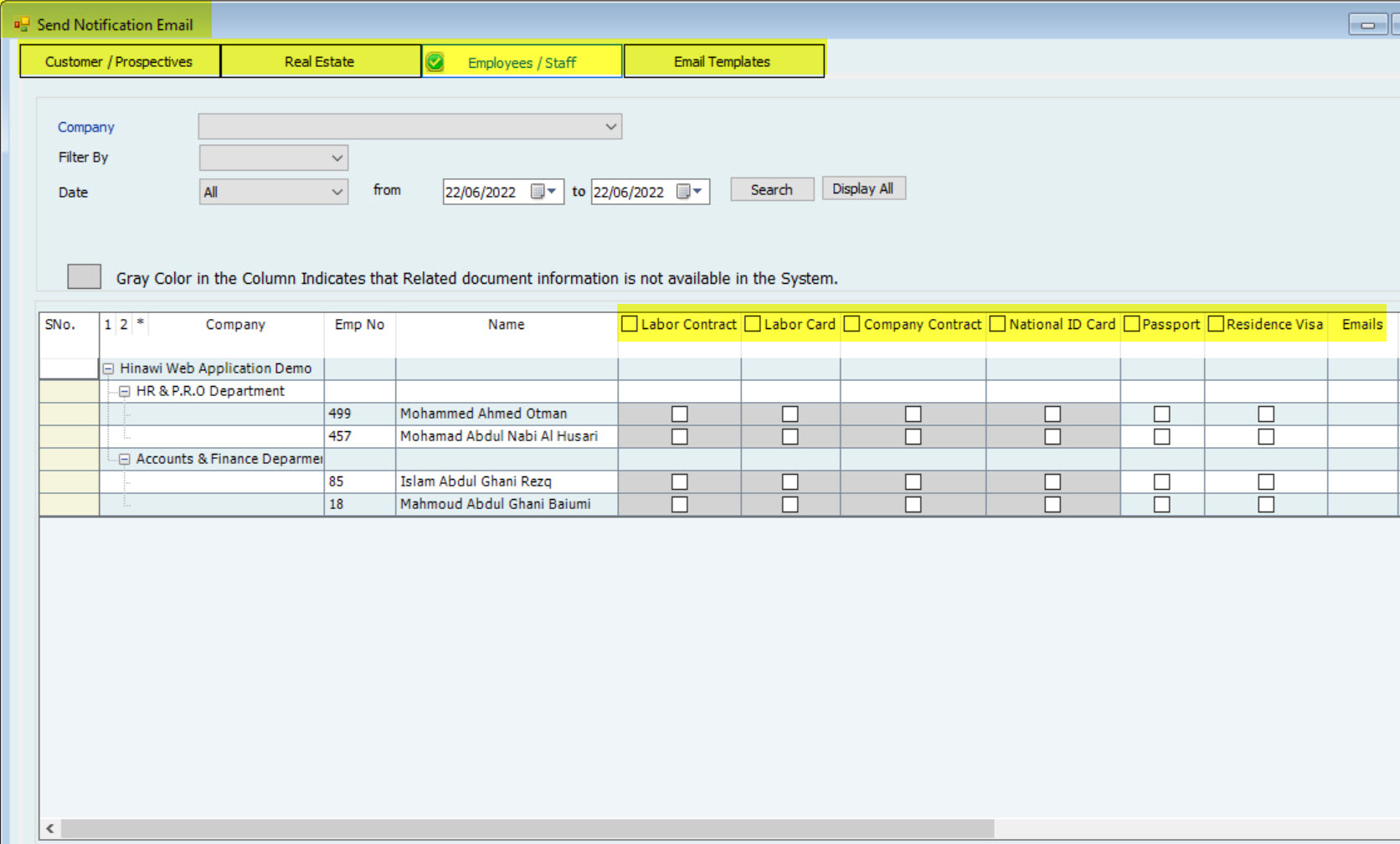
Users can Schedule \ send notifications of the HR module for the following
Labor Contract Expiry
Labor Card Expiry
Company Contract Expiry
National ID Card Expiry
Employee Passport Expiry
Employee Residence Visa Expiry
5. Calendar
Users can schedule reminders and make notes and tasks in the customized Calendar.
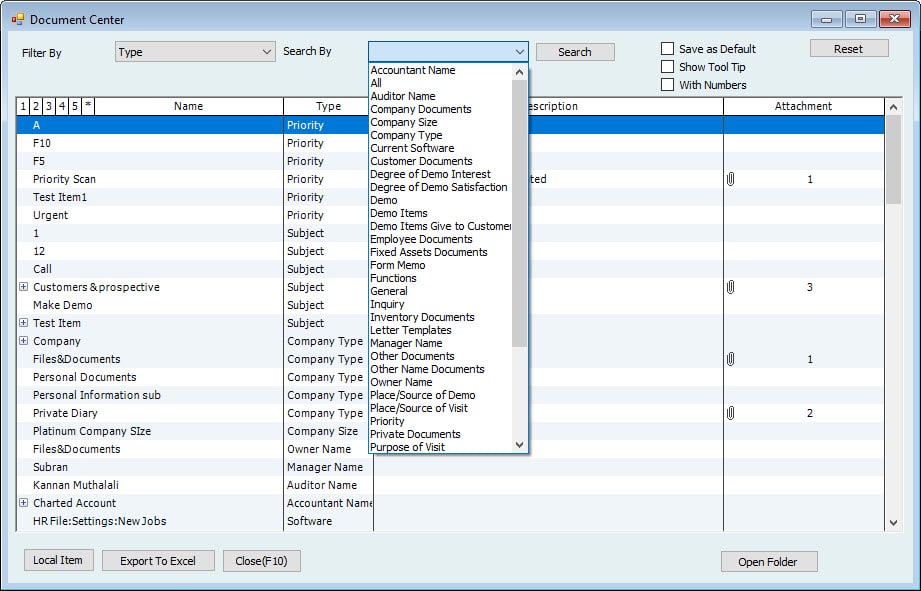
6. Document Center
Users can create documents and attach any number of documents with any attachment type
there are default document types created in the system.
7. Group Task (To All)
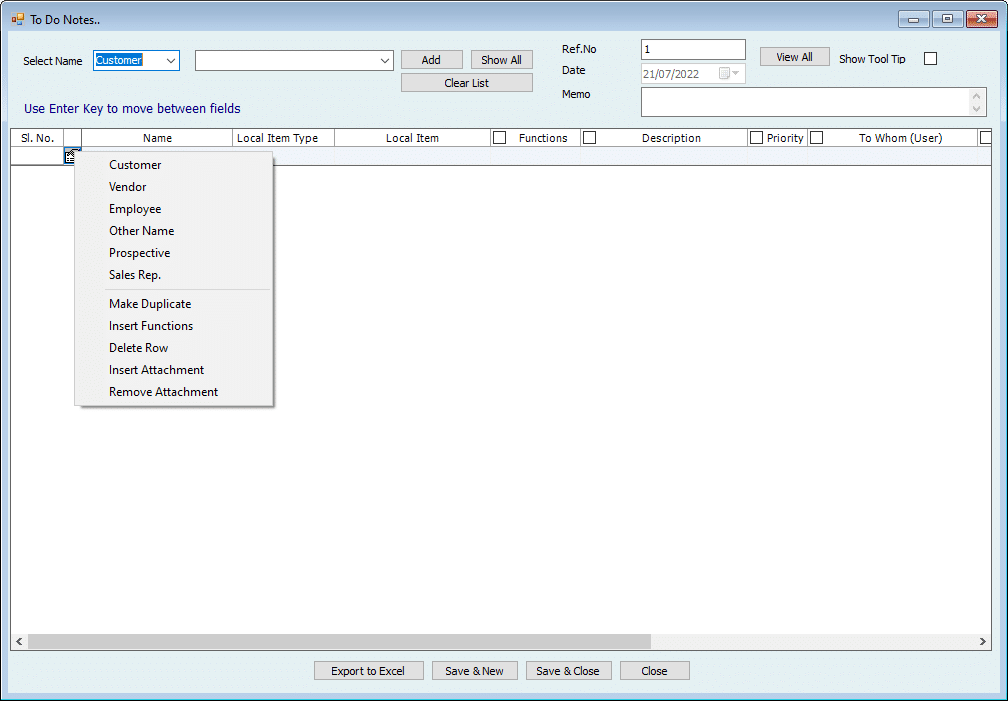
The system can create a daily task for the Company Users. This task will be linked with any name type. Attachment options, Estimated Time, and Expected time to finish functions are also available.
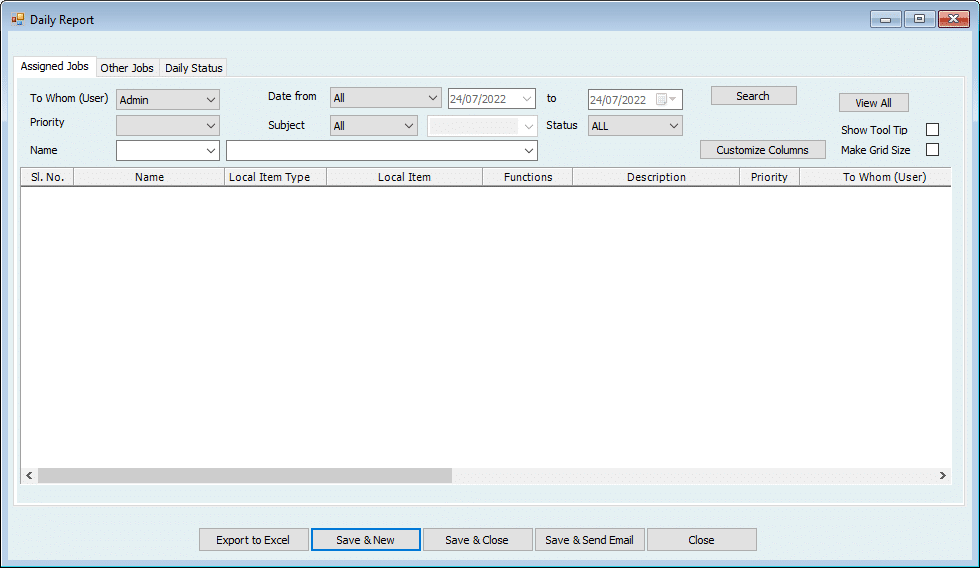
8. Staff Daily Report
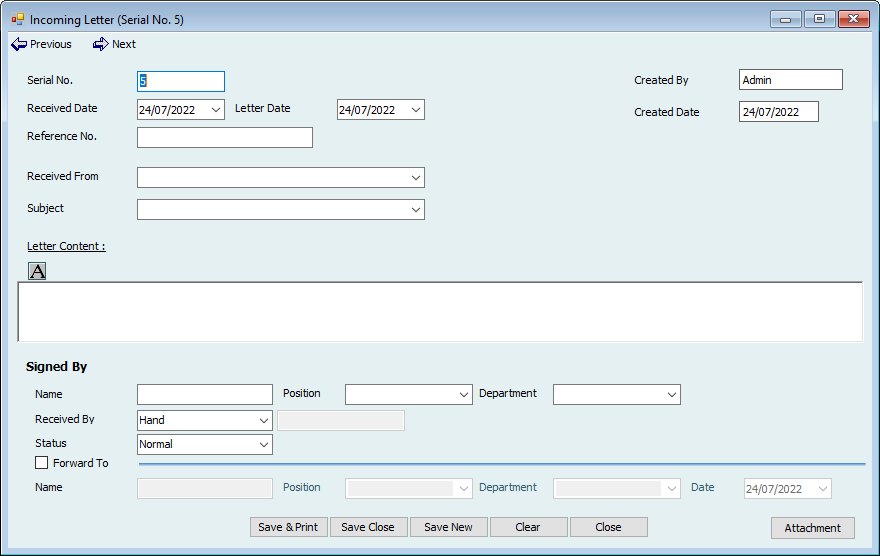
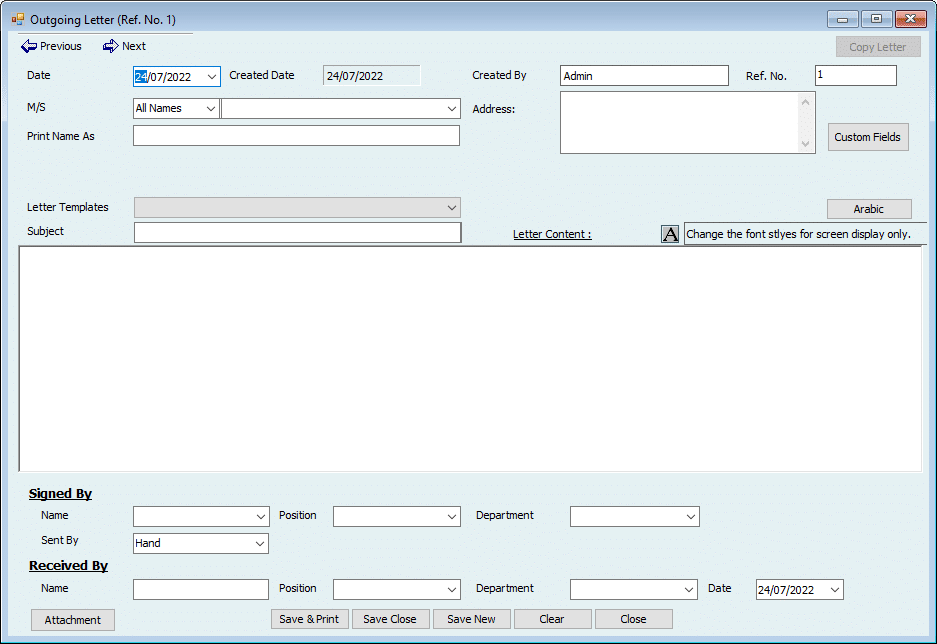
9. Create Incoming and Outgoing Letter Letters, Edit, Print, and Void
Users can create Incoming \ Outgoing letters, and they can be printed with customized templates.
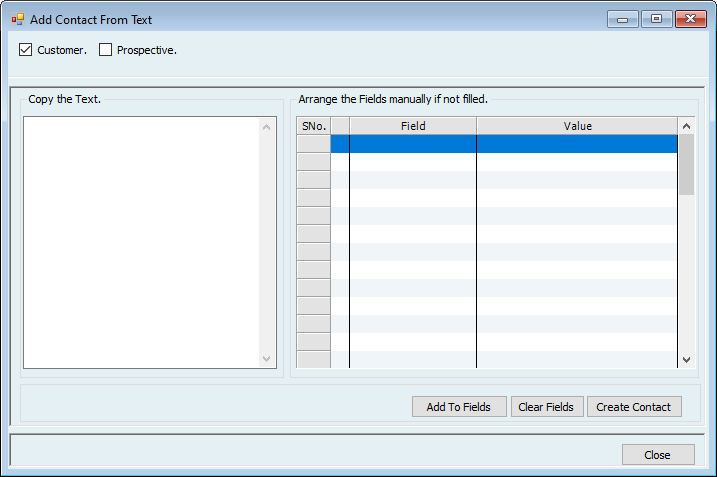
10. Add Contact Form Text
The system has the option to convert text to Contact. Paste the Contact's address from anywhere, and the system will automatically fill in the name and additional details from it & User can save it as Customer or Prospective.
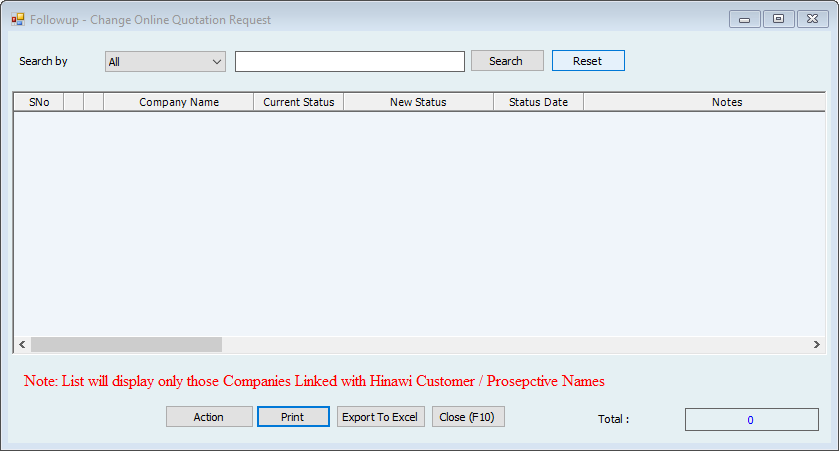
11. Follow up – Change the Status of the Online Quotation Request
CRM Reports are crucial since they enable users to view various information. This includes inquiries, documents, and letters. Furthermore, CRM reports can be filtered and specified through the exact date or a range of dates to enable easy accessibility to the required information. Also, they can be exported to Excel, printed, and columns
can be customized as well.
The points below present these reports and the order displayed in Hinawi Software.
List of Enquiries
List of Group Task
Document Center Report
Incoming \ Outgoing Emails Report
Incoming and Outgoing Letters
Comprehensive reports, Reminders, Design templates forms, and Printing