
Category: HR & Payroll
Month-end payroll in a growing UAE business usually fails in the same place. HR has one spreadsheet, accounts has another, attendance sits in a separate file, and someone is still asking whether the housing allowance belongs in gross pay or outside it. Then employees start asking for salary slips for bank applications, management wants WPS confirmation, and suddenly a basic payroll run turns into a compliance risk.
That’s why the salary slip format uae topic matters more than most HR managers expect. A salary slip isn’t just an internal record. It affects employee trust, WPS alignment, audit readiness, and the accuracy of your accounting entries. If the slip doesn’t match payroll reality, the problem spreads fast. Employees complain, accountants spend time reconciling, and management loses confidence in the process.
I see this often with trading companies, contractors, property businesses, and multi-branch SMEs in Dubai and Abu Dhabi. The pattern is predictable. Manual payroll works for a while, then headcount grows, allowance structures become messy, and copy-paste errors start appearing in overtime, deductions, and net salary figures. At that point, the issue isn’t the template. The issue is the workflow.
If you’re new to payroll operations, start by understanding how the payroll process should flow inside an integrated system, not just how a slip should look. A useful starting point is this overview of how payroll works in practice.
If you want to see how that process is handled inside a UAE-focused ERP environment, Hinawi ERP is a practical benchmark because it connects HR, payroll, WPS output, and accounting in one operational chain instead of leaving HR to patch the process manually.
Chat on WhatsApp +971506228024 Quotation – Demo Request
Introduction
A new HR Manager in a Dubai trading company usually inherits payroll in rough condition. The team says payroll is “under control”, but the typical setup involves an Excel file, a leave register, attendance edits, and last month’s salary slip copied forward as a base. That works until one employee’s overtime is wrong, another employee’s unpaid leave isn’t reflected, and finance notices the payroll total doesn’t match the expected bank transfer.
The pressure gets worse because salary slips sit at the centre of several obligations at once. Employees use them to verify pay. Finance uses them to post salary expenses. Management expects them to match WPS output. If even one field is inconsistent, the problem doesn’t stay inside HR.
The right way to think about salary slip format uae isn’t “What template should I download?” The right question is “What data chain produces a compliant, accurate salary slip every month without manual correction?” That’s a very different problem, and it needs a different solution.
Practical rule: If your salary slip is created after payroll calculations are done manually, you’re already too late. The slip should be the output of a controlled payroll process, not a separate document assembled afterwards.
That’s why ERP-driven payroll matters. Hinawi ERP is a useful example because it treats the salary slip as part of one integrated workflow. Employee master data, attendance, allowances, deductions, payroll approval, WPS preparation, and accounting posting all connect in sequence. That removes the most common cause of payroll errors, which is manual re-entry.
The Anatomy of a Compliant UAE Salary Slip
A UAE salary slip should do three jobs at once. It should explain the employee’s pay, match the WPS payroll file, and post cleanly into your accounting ledger. If it fails at any one of those points, HR ends up fixing disputes, finance ends up fixing journals, and payroll loses credibility.
Treat the salary slip as a controlled payroll output, not a document you format at the end. In Hinawi ERP, that means the slip is generated from approved employee records, attendance, leave, earnings, deductions, and payroll results already tied to the wage transfer and accounting process. That is the standard you should aim for.
What must appear on the slip
Your slip should identify the employer, identify the employee, show how earnings were built, show why deductions were made, and point back to the payment record. Anything less creates audit risk and employee disputes.
The core fields are below.
| Component | Status | Description & Purpose |
|---|---|---|
| Company registered trade name | Mandatory | Identifies the legal employer issuing the salary payment |
| MOHRE Establishment ID | Mandatory | Employer identifier used in WPS-linked payroll records |
| Employee full name | Mandatory | Should match official employment records |
| Labour Card Number or employee labour reference | Mandatory where applicable | Used to align payroll records with employee documentation |
| Pay period | Recommended best practice | Shows the salary month or wage period being settled |
| Employee ID | Recommended best practice | Internal reference for HR and payroll control |
| Job title and department | Recommended best practice | Helps internal review and employee clarity |
| Basic salary | Mandatory | The contractual base salary used in payroll calculations |
| Allowances | Mandatory where applicable | Itemised values such as housing, transport, medical, or other contractual allowances |
| Gross salary | Mandatory | Total earnings before deductions |
| Deductions | Mandatory where applicable | Must show items such as loans, penalties permitted by policy, court orders, insurance, or other approved deductions |
| Net pay | Mandatory | The amount due to the employee after deductions |
| Payroll batch reference or WPS-linked transaction reference | Recommended and strongly advised | Connects the slip to the actual payment cycle |
| Attendance details | Recommended and often operationally necessary | Supports working days, paid leave, unpaid days, and payroll adjustments |
| Overtime details | Mandatory where applicable | Should reflect payroll calculation where overtime exists |
| Payment method or bank transfer reference | Recommended best practice | Useful for employee verification and audit support |
Use the same field logic every month. Do not let one branch show merged allowances while another branch itemises them. Inconsistent formatting creates reconciliation problems that look like payroll errors even when the pay was calculated correctly.
Attendance, leave, and overtime are where errors start
A net salary figure alone is not enough. The slip must show the basis of pay, especially when the month includes unpaid leave, overtime, late deductions, loans, or final settlement adjustments.
Show these items clearly:
- Worked days
- Paid leave by category
- Unpaid leave or loss of pay days
- Overtime units and value
- Each deduction with a reason
- Gross pay and net pay as separate lines
This is not about making the slip look detailed. It is about preventing the same question every month: “Why is my pay different?”
If your team needs a reference point for setting up salary components and payroll controls correctly, use the Hinawi payroll help resource. It is useful because it ties salary slip structure back to payroll configuration instead of treating the slip as a stand-alone template.
A readable salary slip reduces disputes because the employee can follow the calculation without asking HR to explain it line by line.
Build the slip around traceability
A compliant format is not just a list of fields. It is a traceability standard.
Each figure on the slip should come from a defined source:
- Basic salary from the employee contract and master data
- Allowances from the approved salary structure
- Attendance from timesheets or attendance devices
- Leave from the leave register
- Deductions from approved payroll entries
- Net pay from the final payroll calculation
- Payment reference from the salary transfer batch
Many HR teams often make an incorrect choice regarding payroll management. They prepare the payroll in one file, issue the salary slip in another file, and send the WPS data from a third source. That setup invites mismatches. Hinawi ERP avoids that by generating all three from one controlled payroll workflow.
Bilingual formatting is the safer operating standard
Use Arabic and English labels on the salary slip. That is the practical choice in UAE payroll operations.
Bilingual formatting helps in day-to-day work. Employees understand the document faster. HR avoids translation disputes. Finance and auditors can review one standard format across legal entities and branches. If your company has mixed nationalities and multiple reviewers, a bilingual slip removes unnecessary friction.
Keep the labels bilingual even if the underlying payroll system is managed in English. The extra clarity is worth it.
Digital delivery matters because payroll is now an audit trail
Printed slips with ad hoc edits and manual signatures create control gaps. A proper salary slip process should leave a system record showing who processed payroll, who approved it, what changed, and which payment batch the slip belongs to.
That is why the format itself is only part of the job. The stronger setup is digital issuance, controlled access, version history, and direct linkage to payroll transactions and ledger postings. Hinawi ERP handles the process the right way because the slip sits inside the same system as payroll, WPS preparation, employee records, and finance posting.
Chat on WhatsApp +971506228024 Quotation – Demo Request
Building Your Salary Slip Manually vs Using Software
Month-end goes wrong in a very predictable way. HR finishes payroll in a spreadsheet, finance gets a different version, the WPS file is prepared from another sheet, and the payslip PDF no longer matches the amount posted for payment. At that point, the problem is no longer formatting. The problem is control.
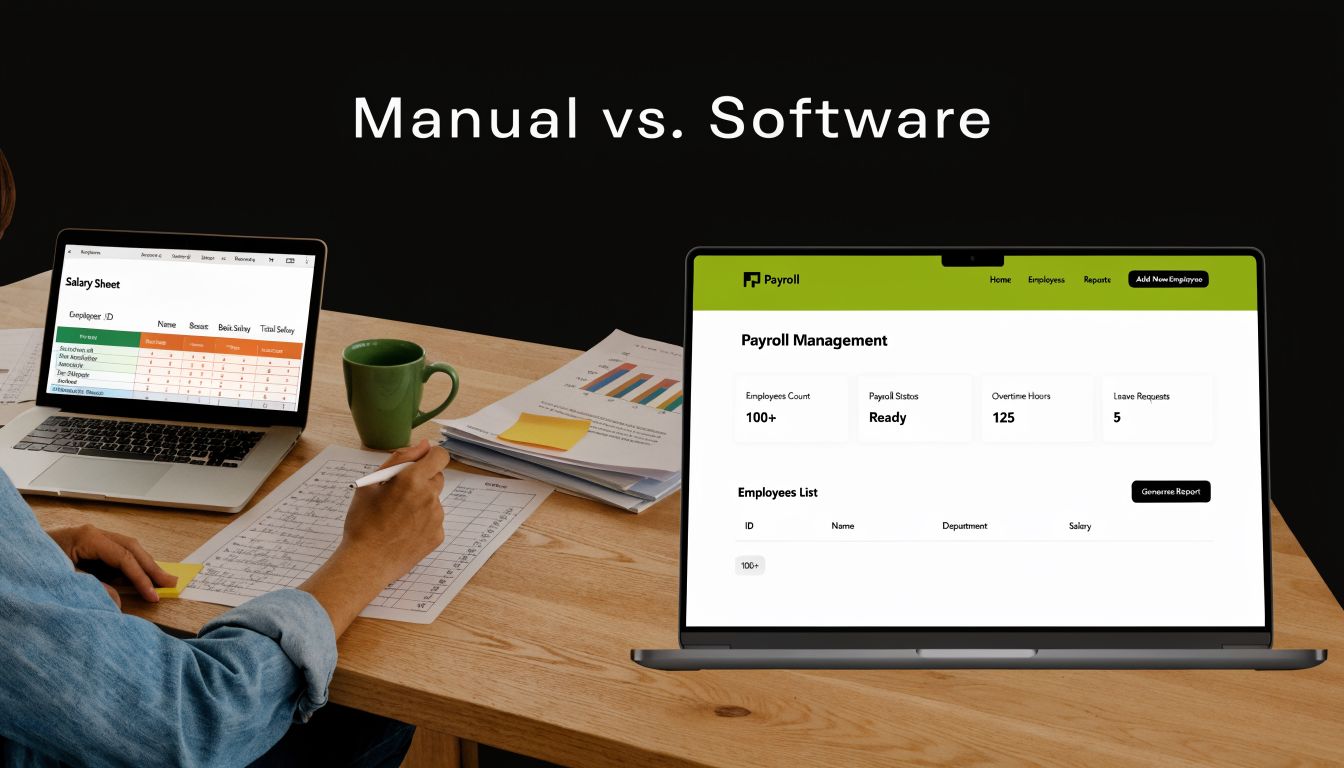
You can build a salary slip manually. You should not build your payroll operation around it unless you have a tiny headcount and almost no monthly variation. The moment payroll includes overtime, unpaid leave, loans, allowances, cost centres, or WPS preparation, manual slips create avoidable risk.
What manual creation actually involves
A manual process usually looks simple on paper:
- Collect attendance or timesheets.
- verify leave, absences, and unpaid days.
- Pull salary details from employee records or contracts.
- Calculate earnings, allowances, overtime, and deductions.
- Confirm net salary.
- Prepare the salary slip.
- Compare totals with the payroll summary.
- Send figures for payment.
- Store copies for records and future queries.
The weakness is not effort alone. The weakness is dependency. Every step relies on someone pulling the right file, applying the right formula, and updating every downstream document after each late change.
A salary slip in the UAE should come from approved payroll data, not from manual document assembly. That distinction matters because the same payroll run should also feed the payment file, employee record, and finance posting. If the slip is created separately, mismatches become normal.
Where manual payroll usually fails
Manual payroll breaks at the handoff points.
- Attendance mismatch. Payroll days differ from the approved attendance record.
- Contract mismatch. Basic salary or allowances do not match the employee’s actual salary structure.
- Overtime miscalculation. HR uses the wrong basis, wrong hours, or an outdated rate.
- Deduction errors. Loan recovery, advances, or other deductions appear on the slip without a clear audit trail.
- Version confusion. HR, payroll, and finance review different files.
- WPS mismatch. The net pay on the salary slip does not match the amount sent in the payment batch.
- Ledger mismatch. Payroll totals do not tie back to the expense and liability entries finance expects.
A template solves layout. It does not solve payroll control, approval flow, or reconciliation.
Manual vs software-driven payroll
| Manual method | Software-driven method |
|---|---|
| Uses Excel, PDFs, and copied values | Uses one payroll database with controlled records |
| Attendance and leave are checked outside payroll | Attendance and leave feed payroll calculations directly |
| Formula errors depend on staff review | Calculation rules are standardised and repeatable |
| Revisions create multiple file versions | Changes are logged with user actions and timestamps |
| Payslips are often prepared after payroll is already final | Payslips are generated from the approved payroll run |
| WPS preparation is handled as a separate task | WPS output is linked to the same approved salary data |
| Finance reconciles payroll manually | Payroll results can flow into ledger posting with less rework |
| Hard to scale across departments or branches | Easier to control across entities, locations, and cost centres |
My recommendation
Use a manual salary slip only for testing, training, or a short-term fallback. For actual operations, use software that treats the salary slip as one output of a controlled payroll workflow.
Hinawi ERP is the right model because it connects the full chain. Employee master data feeds payroll. Approved attendance and leave affect calculation. Salary slips are generated from that approved run. The same run supports WPS preparation and gives finance cleaner payroll data to post. That is how you prevent the common HR mistake of treating the slip as a standalone document instead of part of a wider payroll, payment, and accounting process.
Integrating Salary Slips with Your Accounting Ledger
This is the part many HR managers don’t see until finance complains. A salary slip is not just an employee document. It is also a financial transaction summary. Every line on that slip should connect cleanly to the general ledger.
How the ledger should read payroll
When payroll is processed properly, the accounting team can map salary components to ledger accounts with minimal adjustment. The usual pattern is straightforward:
- Basic salary posts to salary expense
- Housing and transport allowances post to allowance expense accounts
- Loan recovery or other withholdings post to liability or receivable clearing accounts
- Net salary payable posts to salaries payable until bank settlement
- Final bank transfer clears the payable balance
That structure sounds simple. It becomes messy when HR sends finance a salary summary that doesn’t match the individual payslips or payment file.
A common Abu Dhabi contracting scenario
Consider a contracting company with site staff allocated across multiple projects in Abu Dhabi. HR calculates payroll in spreadsheets. Finance needs labour cost split by project, department, and cost centre. One supervisor sends revised overtime late. Another project updates unpaid leave after payroll is supposedly final. Finance ends up posting provisional entries, then reversing them later.
That isn’t just inefficient. It weakens project costing, monthly reporting, and audit confidence.
A connected payroll-to-finance workflow fixes this. The payroll team approves one set of figures. The system generates salary slips from that data. Then the same approved payroll posts directly into accounting. No duplicate data entry. No retyping journal values. No separate totals that need explanation.
If HR and finance don’t work from the same payroll dataset, month-end reconciliation becomes guesswork.
What an integrated posting approach should include
A proper ERP workflow should support:
| Payroll element | Accounting effect |
|---|---|
| Basic salary | Debit salary expense |
| Allowances | Debit allowance expense accounts |
| Deduction liabilities | Credit the relevant liability or recovery account |
| Net payable salary | Credit salaries payable |
| Bank payment | Debit salaries payable, credit bank |
The benefit isn’t just speed. It’s control. When the salary slip, payroll register, and ledger entries all come from the same approved run, you stop arguing about which file is correct.
If you’re evaluating this workflow in practice, this explanation of posting HRMS to accounting shows the integration logic businesses should expect from a serious ERP setup.
Chat on WhatsApp +971506228024 Quotation – Demo Request
Automating UAE Payroll with Hinawi ERP
Month-end goes wrong fast in UAE payroll. HR closes attendance, finance expects clean salary journals, the WPS file is due, and one late manual edit leaves three different versions of payroll in circulation. That is exactly why salary slips should be generated inside the same system that handles payroll calculation, WPS output, and ledger posting.

Hinawi ERP solves the core problem. It does not treat the salary slip as a final document prepared after payroll. It treats the slip as the visible result of an approved workflow. Employee master data, attendance, leave, earnings, deductions, WPS-ready payroll values, and accounting impact all come from one controlled payroll run.
That structure matters more than the template.
What automation should do in a UAE payroll process
A proper payroll system should let HR set salary rules once and apply them consistently across every pay cycle. Basic salary, housing or transport allowances, overtime, unpaid leave, loans, fines, and other deductions should be configured as payroll components, not edited line by line in spreadsheets. If payroll depends on side files, you will get mismatches between the salary slip, WPS file, and finance records.
In Hinawi ERP, the workflow is straightforward. HR maintains employee records and salary structures. Approved attendance and leave feed payroll. Payroll calculates earnings and deductions based on policy. The system then generates the salary slip, prepares WPS-related payroll output, and posts the accounting impact from the same approved data.
That is the standard you should expect.
The controls that prevent payroll errors
Automation only helps if the controls are strict. These are the controls HR Managers should insist on:
Policy-based setup
Salary components must be defined properly at setup stage. Fixed allowances should stay fixed. Variable items should follow approval rules. Unpaid leave should reduce salary through a documented formula, not a manual deduction typed in at month-end.
Approved-input payroll
Payroll should only run on approved attendance, approved leave, and approved deduction requests. If someone changes values after approval in a separate file, the audit trail is broken.
One-source output
The salary slip, payroll register, WPS output, and accounting entries should all come from the same run. This is the difference between an ERP process and a document-preparation exercise.
Employee access and traceability
Staff should be able to retrieve their payslips without asking HR to resend old files. That reduces queries and gives the company a clean salary history for employee review, internal checks, and audit support.
Good payroll automation shows how salary was calculated, who approved it, what was paid, and where it posted in accounts.
Where companies usually lose control
The recurring failures are predictable.
- Unpaid leave is adjusted manually after payroll calculation.
- Allowances differ between employee groups without a clear policy record.
- HR approves payroll, then finance pays from another spreadsheet.
- Salary slips are prepared after bank processing and no longer match the approved payroll figures.
These are process failures, not formatting issues. An integrated ERP closes those gaps by forcing payroll into sequence. Input first. Approval next. Generated outputs after that. If you want to review the workflow in product terms, the Hinawi HR and Payroll module for UAE businesses shows how that setup is handled inside one system.
Why this matters more in multi-branch businesses
Payroll gets harder when costs need to be tracked by branch, department, site, or project. A manual salary slip process cannot do that reliably because the document sits outside the transaction flow. An ERP-based process can. The payroll run can carry cost allocation into the ledger while generating employee payslips from the same data.
That gives management something useful. They do not just get a salary slip PDF. They get payroll that ties back to attendance, WPS preparation, departmental cost reporting, and the general ledger without reconciliation drama at month-end.
For UAE companies, that is the practical target for a salary slip format uae process:
- System-generated from approved payroll data
- Aligned with WPS processing
- Linked to accounting entries
- Available for employee retrieval
- Consistent across branches and departments
- Stored with a clear approval history
Anything less creates rework, disputes, and audit problems.
Take the Next Step with Hinawi ERP
The lesson here is simple. Mastering salary slip format uae is not about finding a prettier template. It’s about building a payroll process that holds together under pressure. Compliance, employee trust, WPS alignment, and ledger accuracy all depend on one thing. Your payroll data must move through one controlled workflow.
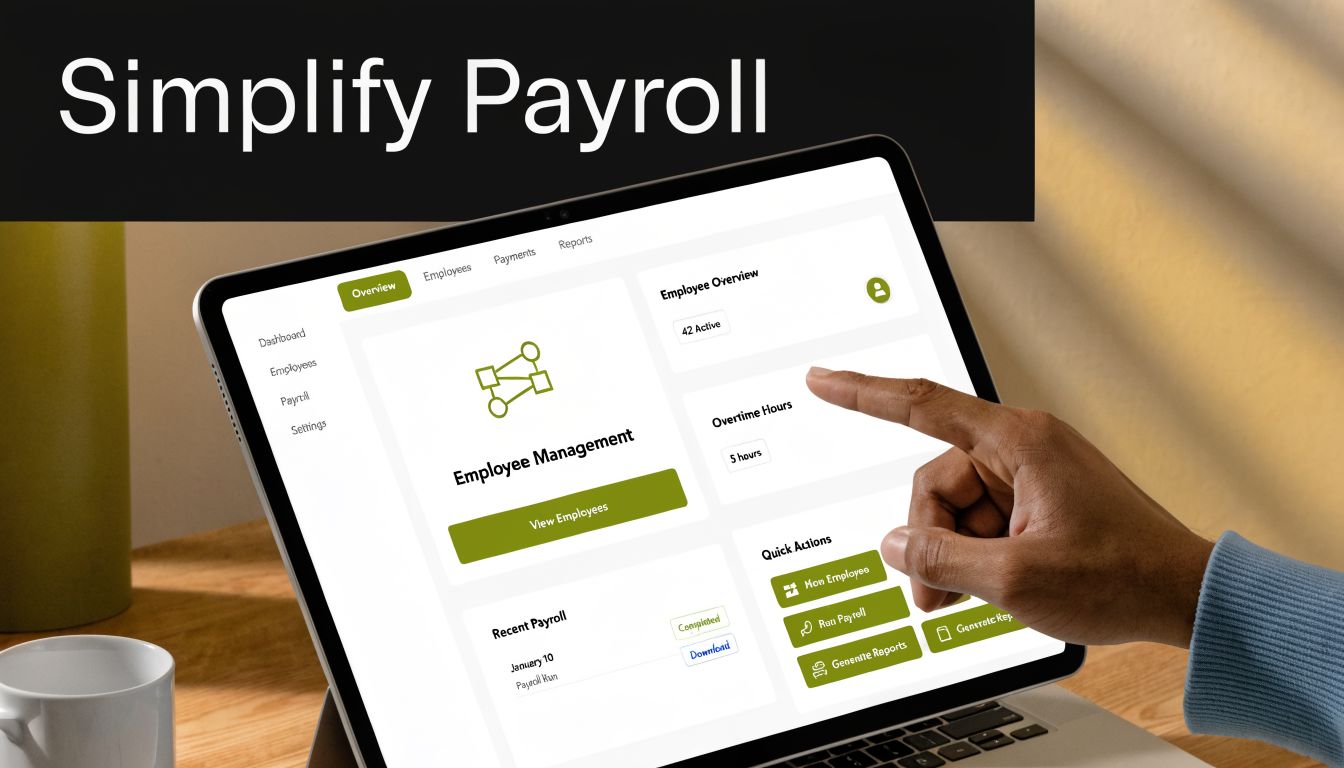
If your team still relies on spreadsheets, disconnected attendance files, and manually edited salary slips, the problem won’t stay limited to HR. It will show up in staff complaints, finance reconciliation, management reporting, and audit review. Businesses in the UAE and GCC need tighter operational control than that.
Hinawi ERP is built for this exact requirement. Developed in Abu Dhabi since 1998, it gives companies a fully integrated platform covering Accounting, HR & Payroll, Real Estate Management, Fixed Assets, Manufacturing, Garage & Maintenance, School Management, CRM, and broader business automation. For payroll-intensive businesses, that means WPS payroll support, bilingual Arabic and English operation, flexible company policy settings, and real-time accounting integration across modules.
That combination matters because payroll doesn’t operate in isolation. A contracting company needs labour cost visibility. A manufacturer needs payroll linked with production and costing. A real estate company needs reliable accounting and asset control. A trading company needs HR, accounting, VAT compliance, and operational reporting in one place. Hinawi ERP fits those environments because it was built for regional business reality, not as a generic foreign system forced into UAE workflows.
Why business owners should act now
A strong ERP decision improves day-to-day control in ways management feels immediately:
- Manual work drops because payroll data isn’t re-entered across files.
- Financial accuracy improves because HR and finance work from the same approved figures.
- Compliance becomes easier because WPS handling and reporting are built into the process.
- Management gains visibility because payroll, accounting, and operations connect in real time.
- Policy enforcement improves because salary structures, leave rules, and deductions follow configured logic.
If you want to modernise payroll and stop rebuilding the salary slip process every month, start with a proper ERP review. You can also explore how the workflow looks in practice through Hinawi ERP business information, then speak directly with the team for a more realistic discussion about your company’s payroll and accounting setup.
Chat on WhatsApp +971506228024 Quotation – Demo Request
A strong salary slip process is really a sign of a disciplined business. When payroll, WPS, accounting, and reporting work together, the company runs with less friction and more confidence.
Take the Next Step with Hinawi ERP
For companies in the UAE and GCC, the next move is clear. Stop treating payroll as a monthly admin exercise and start managing it as a core business process. Hinawi ERP gives you a fully integrated ERP platform developed since 1998 in Abu Dhabi, designed for regional businesses that need control across Accounting, HR & Payroll, Real Estate Management, Fixed Assets, Manufacturing, Garage & Maintenance, School Management, CRM, and complete business automation.
If your business needs VAT and e-Invoicing compliance, UAE WPS payroll support, Arabic and English bilingual operation, flexible company policy settings, and real-time accounting integration across all modules, Hinawi ERP is built for that. It fits factories, contracting companies, real estate businesses, schools, garages, trading companies, and manufacturers that want fewer manual processes and stronger management visibility.
The practical benefit is straightforward. You reduce manual work, improve financial accuracy, strengthen payroll control, and give management better visibility across departments. That’s what growing businesses need when they move beyond spreadsheets and disconnected systems.
Visit www.hinawierp.com to learn more or request a personalised demo. If you want a direct discussion about your payroll, accounting, HR, or broader ERP requirements, speak with the Hinawi ERP team and review how the system can be configured around your company’s policies and operational structure.
Explorer Computer LLC – Hinawi Software ERP supports companies across the UAE and GCC with integrated ERP software built in Abu Dhabi since 1998. If you want to modernise HR, payroll, accounting, VAT reporting, e-Invoicing, fixed assets, real estate operations, manufacturing control, school administration, garage management, and broader business automation, visit Explorer Computer LLC – Hinawi Software ERP and request a consultation or personalised demo.