
Category: Accounting
A Dubai restaurant owner usually notices the problem at closing time, not during service. Orders were taken on one screen, card payments settled on another, stock was checked by phone calls to the storekeeper, and the accountant still has to clean up the day's sales before VAT posting. The dining room may look modern, but the back office is still running on patchwork.
That's why the phrase restaurant POS point of sale is often misunderstood. Many owners still think of POS as a billing terminal. In practice, that view is too small for the UAE market. A restaurant here needs order control, payment speed, inventory accuracy, bilingual usability, VAT-ready transaction data, and clean reporting across dine-in, takeaway, delivery, and multiple branches.
This shift isn't theoretical. The Middle East & Africa restaurant POS systems market is projected to grow from approximately USD 0.87 billion in 2025 to USD 1.98 billion by 2035, at a CAGR of 8.6%, reflecting the move from legacy cash workflows to integrated, cloud-enabled restaurant management platforms in a digital consumer market, according to restaurant POS market projections in the Middle East and Africa.
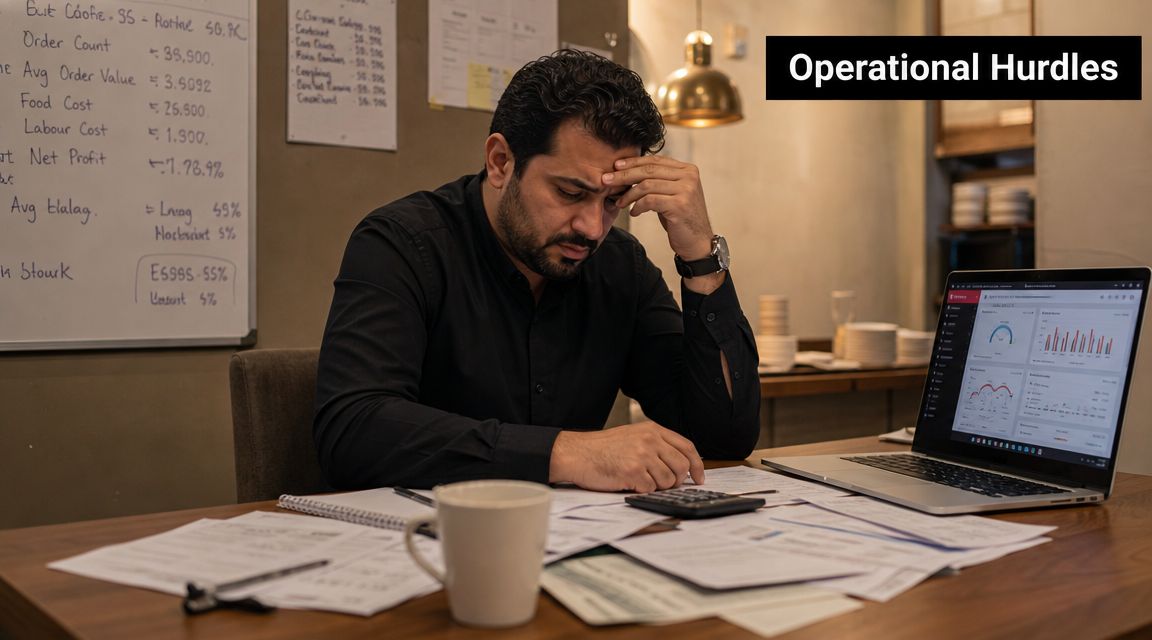
Owners in Dubai, Abu Dhabi, and across the GCC don't need another isolated screen at the cashier. They need one operational system that connects the floor, kitchen, stores, finance, and management. If your POS can only print a receipt, it's already behind your business.
Visit Hinawi ERP if you're evaluating integrated business software for restaurants and multi-branch operations in the UAE and GCC, or request a personalised demo to review your process requirements.
Chat on WhatsApp +971506228024 Quotation – Demo RequestIntroduction The Modern Restaurant's Challenge
A busy restaurant in Dubai Marina can look efficient from the customer side while hiding serious operational friction. One server takes orders on a tablet, the kitchen gets partial tickets, delivery orders arrive through another channel, and the branch manager checks stock manually because the system doesn't update ingredients properly. Then finance asks for clean VAT reporting and item-level sales by branch.
That is where many businesses realise they didn't buy a restaurant system. They bought a payment tool.
Where simple POS starts failing
A basic POS can record a sale. It usually can't control the full operational chain that created that sale. The problem shows up in familiar ways:
- Orders get re-entered: Staff enter the same information in more than one place.
- Stock drifts from reality: Sales happen, but ingredient balances don't update correctly.
- Finance works backwards: The accountant reconstructs tax and sales details after the shift.
- Managers lose visibility: Multi-branch reporting arrives late or in inconsistent formats.
A restaurant doesn't suffer because the cashier is slow. It suffers because data breaks between ordering, kitchen, stock, and accounts.
Why UAE operators need a broader view
The UAE restaurant market is fast, multilingual, payment-heavy, and operationally demanding. Restaurants need to handle dine-in, takeaway, aggregators, contactless payment acceptance, and management review without waiting for manual reconciliation. That's why the modern restaurant POS point of sale has become part of a wider business control layer, not a stand-alone front desk device.
If you're still comparing POS systems by screen design and receipt layout, you're asking the wrong question. The right question is whether the system can support the business after the transaction, not only during it.
What Is a Modern Restaurant POS System
A modern restaurant POS system is the operating layer between service, stock, finance, and management control. In a Dubai restaurant, it has to do more than ring up a bill. It must capture the order correctly, send it to the right kitchen station, record the transaction in a usable format, and pass clean data into the systems that handle accounting, inventory, payroll, and branch reporting.
That definition matters because many restaurant owners still buy POS software as if they are buying a faster cashier screen. They are not. They are choosing the system that will shape how reliably the business runs every day.
According to this explanation of restaurant POS architecture, a modern restaurant POS works as an order-routing and data-integration hub that connects front-of-house devices, kitchen output, inventory, and accounting across dine-in, delivery, and multi-branch operations.
The system includes more than the billing terminal
When restaurant owners say “POS,” they often mean the front counter screen. That is only the visible layer. A complete setup usually includes:
- Touchscreen terminals: For order entry, billing, void controls, discounts, and supervisor approval.
- Card readers: For quick payment acceptance at the counter or table.
- Receipt printers and kitchen printers: For customer receipts and production routing where printed dockets still make sense.
- Cash drawers: Still relevant in mixed cash and card environments.
- Handheld devices: Useful for table service, queue reduction, and faster order capture.
- Kitchen display workflows: Better for accuracy, timing, and cleaner communication between service staff and the kitchen.
A cash register records payment. A restaurant POS system controls transaction flow and connects that activity to the rest of the business.
What good POS architecture looks like
Good architecture is not a technical luxury. It protects service during a busy shift. If internet quality drops or one integration stalls, the branch still needs to take orders, process payments properly, and keep a clean transaction history for sync and audit review later.
That matters even more in the UAE and GCC, where many restaurants operate multiple branches, accept heavy volumes of card payments, and need tighter tax records. If the POS stores data badly, finance teams end up fixing sales, tax, and settlement issues after the branch closes. That is avoidable.
If you want a clearer baseline on POS fundamentals, review Hinawi's guide to what a point of sale system is. Then assess the restaurant version properly. The right system should not stop at order taking. It should feed a wider ERP environment that keeps accounts accurate, staff costs controlled, and branch performance visible.
Core and Advanced POS Features Your Restaurant Needs
A busy dinner shift exposes weak POS setups fast. One server enters a modifier incorrectly, the kitchen fires the wrong dish, a manager approves a void without proper control, and the finance team later gets a sales summary that does not match stock movement or tax treatment. Billing speed does not fix any of that.

A restaurant POS should control service, protect margin, and produce clean operational records. In the UAE and GCC, that standard matters even more because payment mix, VAT treatment, multi-branch operations, and audit expectations all put pressure on data quality at branch level.
Front-of-house features that matter
Start with the service floor. If the POS cannot handle real restaurant activity at table level, staff create workarounds, and workarounds create errors.
- Table, seat, and course-level order handling: Staff need to assign items to the right guest, add modifiers clearly, split checks correctly, and transfer tables without losing order history.
- Integrated card and digital payment processing: Fast checkout matters in a market where card and contactless payments are routine. The system should record payment method cleanly and reconcile it properly, not just approve the transaction.
- Multi-channel order capture: Dine-in, takeaway, delivery, and direct pickup orders should sit in one reporting structure. If each channel reports sales differently, you lose control over margin and tax review.
The owner should care less about how quickly a receipt prints and more about whether the transaction is captured properly from order entry to payment close.
Back-of-house features that protect margin
Restaurants lose money in the kitchen and stockroom long before they see the problem in a monthly profit report. A POS should reduce that risk by turning every sale into a usable operational record.
As noted in restaurant POS functional guidance, a properly implemented system ties orders, inventory movement, and kitchen workflow together. That matters in UAE operations because cleaner transaction trails make VAT treatment, stock checks, and financial review far easier.
Focus on three functions:
Real-time inventory tracking
Each item sold should reduce the correct stock record automatically. If your team still adjusts inventory after service from paper notes or spreadsheet estimates, the system is leaving margin exposed.Kitchen display or precise order routing
Orders must reach the correct prep station instantly and in a readable format. During a high-volume weekend service, poor routing causes remakes, delays, waste, and guest complaints.Detailed item and shift reporting
Management needs product mix, discounts, voids, payment split, and branch-level sales visibility without manual cleanup. Reports should be usable on the same day, not after back-office correction.
Practical rule: If a completed sale does not update stock, payment records, and reporting automatically, your POS is pushing avoidable cleanup into finance and operations.
Advanced features worth insisting on
Advanced features are not luxury items for large chains. They are control tools for any restaurant group that wants fewer errors and cleaner branch management.
- Arabic and English usability: Staff adoption improves when screens, receipts, and reports match the operating reality of the GCC market.
- Role-based permissions and approval controls: Cashiers, supervisors, and branch managers should have different authority for discounts, voids, refunds, and price changes.
- Branch-level oversight: Head office should be able to compare outlets, review exceptions, and spot unusual patterns without waiting for end-of-month reporting.
- Offline continuity with clean sync rules: A branch still needs to trade properly during connectivity issues, then sync transactions without duplication or missing records.
- Structured data for finance and compliance: Menu items, modifiers, taxes, tenders, and discounts should post in a way that accounting can use directly.
Choose features that remove manual correction, tighten branch discipline, and produce records your finance team can trust. That is the standard. A simple till with restaurant screens is not enough.
Integrating Your POS with a Full ERP System
At 11:30 p.m., the dining room is closed, but your real work starts. One branch has card settlements that do not match sales, another has stock variances nobody can explain, and finance is waiting for exports from the POS before they can post the day. That is the point where a simple restaurant POS stops being a tool and starts becoming overhead.
A restaurant in Dubai does not run on billing alone. It runs on clean postings, controlled discounts, stock movement, staff costs, branch visibility, and fast month-end close. If your POS sits outside the rest of the business system, every sale creates more admin for accounting and operations.
Accounting has to receive usable transaction data
Daily sales should land in accounting with the right tax treatment, payment split, discount logic, and branch tagging already attached. Finance should review exceptions, not rebuild the day from Z reports, spreadsheets, and receipt summaries.
That matters even more for restaurant groups. Delivery aggregators, dine-in, takeaway, cash, card, wallet payments, refunds, and promotions all create different posting needs. If the POS cannot map those flows properly into the ERP, your books stay late and your VAT review gets harder than it should be.
Payroll and HR should not sit in a separate silo
Labour is one of your largest operating costs. Yet many restaurants still run scheduling, attendance, overtime, incentives, and payroll in systems that have no relationship to branch sales or operational performance.
That is poor control.
An integrated ERP setup gives management one place to compare labour cost against revenue, review attendance exceptions, and approve payroll with context. You can see whether a branch is overstaffed, whether overtime is recurring, and whether incentive rules match actual sales activity. A standalone POS cannot do that well because it only records the front-counter event.
Multi-branch operators need central control, not branch-by-branch patchwork
Three branches using the same POS brand can still produce three different versions of reality if setup, masters, closing routines, and approvals are inconsistent. Menu changes get applied late. Discounts are handled differently. Head office receives numbers in different formats and starts every morning with follow-up calls.
An ERP-connected model fixes the structure behind the sale. Item masters, price lists, inventory rules, chart of accounts mapping, approval workflows, and branch reporting all sit under one controlled framework. Head office gets a usable daily view instead of a collection of branch-level snapshots.
For restaurant groups that need POS, finance, payroll, and other business tools to work together, Hinawi's third-party integration options for connected business systems show the right direction. The POS should feed the business platform automatically, not sit beside it.
The right recommendation is simple. If you operate more than one outlet, deal with delivery platforms, or want reliable accounting and payroll controls, do not buy a POS as a standalone product. Buy a connected operating system for the restaurant business.
Chat on WhatsApp +971506228024 Quotation – Demo RequestNavigating UAE and GCC Compliance with Your POS
Compliance is where a weak POS becomes expensive. Many systems can take an order and print a bill. Fewer can produce transaction data that stands up to accounting review, VAT treatment, and future electronic invoicing requirements.
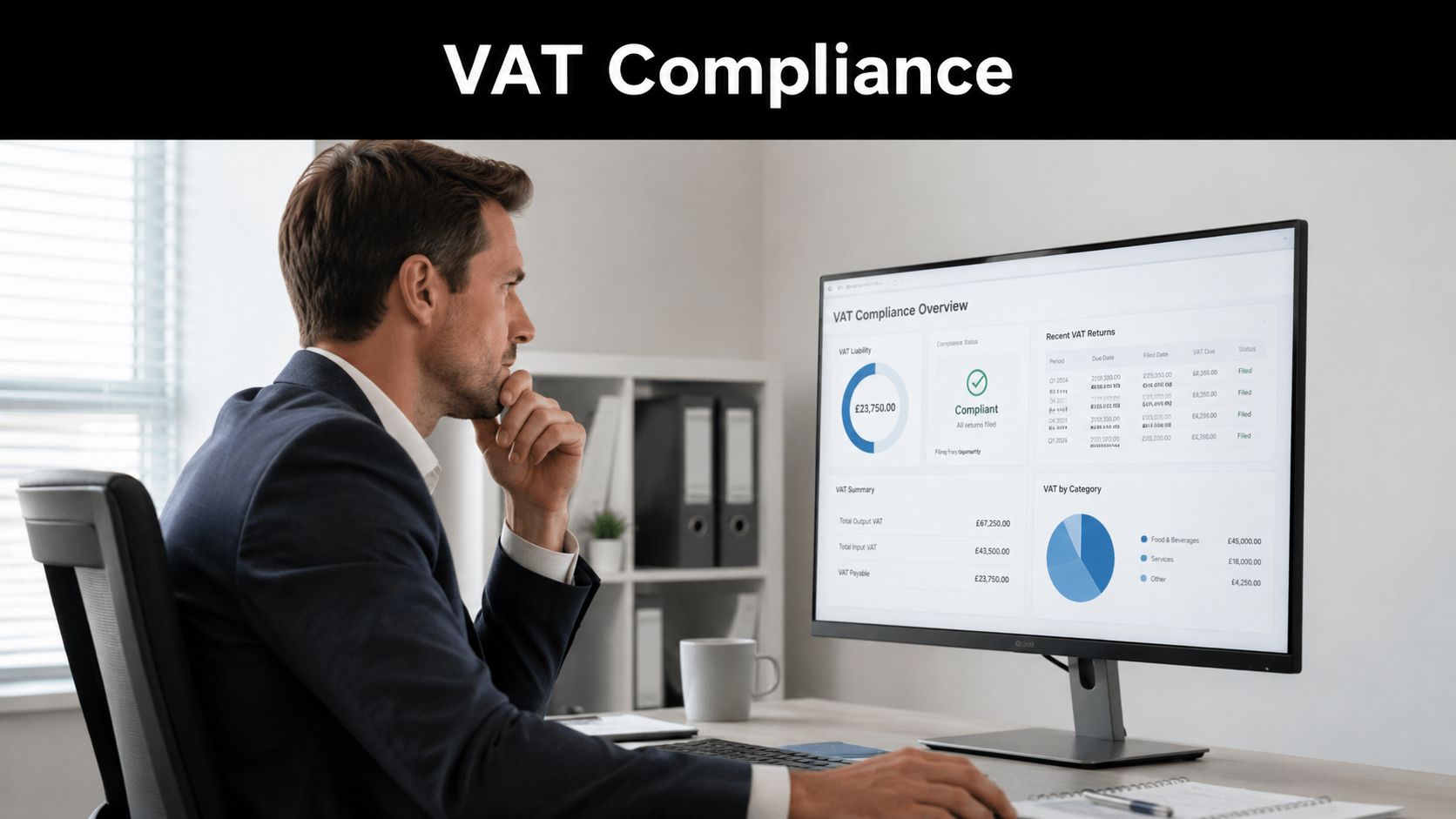
VAT has to be built into the transaction flow
In the UAE, VAT is 5%. That sounds simple until a restaurant operates multiple branches, promotions, mixed item categories, refunds, and accounting cut-offs. If the POS can't separate taxable, zero-rated, and exempt treatment properly where relevant, the finance team inherits avoidable audit risk.
A compliant setup needs more than receipt printing. It needs item-level coding, reliable audit trails, and accounting-ready exports or direct posting logic. If you want a practical tax reference for business software planning, review Hinawi's UAE tax guidance.
E-invoicing changes the standard
Most POS content still focuses on speed at checkout. That's outdated for UAE operators. According to this guidance on restaurant POS and compliance workflows, the critical question is whether the POS handles VAT compliance and prepares data for the UAE's phased e-invoicing mandate beginning in 2026.
That means your restaurant POS point of sale must produce structured, invoice-ready data, not just end-of-shift sales totals.
If your system only tells you what you sold, but not how that sale should flow into compliant accounting records, the system is unfinished.
GCC reality is operational, not theoretical
For GCC restaurants, compliance also intersects with language, branch control, and documentation. Receipts, reports, and internal review often need bilingual support. Finance teams want consistency. Auditors want traceability. Owners want to stop asking staff for missing explanations.
That's why compliance shouldn't be treated as a finance-only topic. It starts at order entry and ends in the ledger.
Choosing Your Deployment Model and Hardware
Most software demos make cloud deployment look like the obvious answer. In practice, restaurant operators need to think harder. Accessibility is useful, but resilience matters more when the branch is busy and customers are waiting.
This matters in the GCC because, as noted by guidance discussing POS resilience in competitive restaurant environments, Dubai alone hosts more than 13,000 food and beverage outlets, so even minor downtime from internet or gateway failure can create serious operational and revenue disruption across multiple branches.
Cloud vs on-premise in real restaurant conditions
The right answer depends on your risk tolerance, branch setup, internet stability, support structure, and control requirements.
| Factor | Cloud-Based POS | On-Premise POS |
|---|---|---|
| Access | Easier remote access for owners and head office | Strong local control within the branch |
| Internet dependency | Higher dependency for full functionality unless offline capability is strong | Lower dependency for core local operation |
| Updates | Usually easier to manage centrally | Usually needs more planned technical management |
| Branch rollout | Convenient for distributed businesses | Can be more controlled but slower to standardise |
| Downtime planning | Must be tested carefully for offline continuity | Needs hardware and local support discipline |
| Best fit | Businesses that value remote visibility and central administration | Businesses that prioritise local continuity and controlled environments |
Hardware should be chosen for restaurant abuse
Restaurant hardware works in heat, spills, rush periods, and constant handling. Don't buy office equipment and expect restaurant reliability.
Focus on these basics:
- Durable touch terminals: Screens should survive repeated use and cleaning.
- Reliable printers: Kitchen and billing output still matter in many operations.
- Appropriate card devices: Payment hardware must fit table service, counter service, or both.
- Well-designed network layout: Weak local networking creates operational pain even before internet problems begin.
Decision point: Don't choose cloud or on-premise by trend. Choose based on how your branches keep trading when something goes wrong.
For infrastructure planning, Hinawi's installation requirements guidance helps frame the practical side of software and hardware readiness.
Implementation Checklist and Calculating ROI
Friday lunch in Dubai Marina. The dining room is full, Talabat orders are stacking up, one cashier is unsure how to process a refund, and the accountant calls asking why sales in the POS do not match the branch collection report. This is how weak implementations fail. The software is installed, but the business is still running on guesswork.
A restaurant POS rollout should be treated like an operations project, not a software delivery. If your system is connected to accounting, inventory, purchasing, payroll, and branch controls, you get cleaner numbers from day one. If it is not, you just move the same old problems onto a touchscreen.
A practical implementation checklist
Use this checklist before go-live:
Clean the menu structure first
Finalise item names, Arabic and English descriptions if needed, modifiers, combo logic, pricing, and branch-specific availability. Bad menu setup creates billing mistakes, stock errors, and training confusion.Set stock consumption rules properly
Decide which items should reduce ingredients, which are sold as packaged stock, and how wastage, voids, and complimentary items should be recorded. This matters if you want food cost reports you can trust.Configure tax and document flows for UAE compliance
Test VAT treatment on dine-in, takeaway, delivery, discounts, refunds, and cancelled bills. Make sure the data passed into finance is clean enough for filing, audit review, and future e-invoicing requirements across the GCC.Define approval controls
Set rules for discounts, price overrides, drawer differences, refund permissions, and end-of-day closure. Owners lose margin here more often than they lose it on licence fees.Train by job role, not in one classroom session
Cashiers need speed and accuracy. Supervisors need exception handling. Kitchen staff need order clarity. Finance teams need reconciliation discipline. HR and payroll teams may also need time and attendance or incentive inputs if the POS feeds a larger ERP setup.Run a controlled pilot before full rollout
Start with one branch or one service period. Review billing errors, stock movement, payment posting, and day-close reports daily. Then standardise the rollout across other outlets.
ROI is operational first, financial second
Restaurant owners often calculate ROI too narrowly. They compare subscription cost against billing speed and stop there. That is a mistake.
Return comes from tighter control across the business. Integrated posting reduces accounting cleanup at month-end. Recipe-linked sales improve food cost visibility. Branch-level reporting helps you spot discount abuse, unusual voids, and slow-moving menu items earlier. Payroll and attendance become easier to verify when branch activity and staffing are reviewed together.
In the UAE, ROI also includes risk reduction. A disconnected POS creates avoidable compliance pressure when finance teams are fixing tax errors manually, tracing missing support for refunds, or reconciling branch sales across separate systems. An integrated ERP-led setup cuts that rework.
If you want a clearer framework for measuring margin impact, branch performance, and owner-level profitability, read this guide on how to calculate restaurant profit properly.
Chat on WhatsApp +971506228024 Quotation – Demo RequestFrequently Asked Questions
Is a restaurant POS different from a retail POS
Yes. A restaurant POS has to manage tables, send orders to the right kitchen station, handle modifiers, split bills, track dine-in and delivery at the same time, and support fast service during peak hours. A retail POS is built for simpler item scanning and checkout.
For a UAE restaurant, that difference matters even more. You need sales data to flow cleanly into accounting, stock, and tax records instead of staying trapped inside the billing screen.
Can I keep my existing hardware
Only if it passes proper testing. Check printers, cash drawers, tablets, barcode devices, card terminals, and kitchen display compatibility before you commit.
Old hardware can reduce the initial spend, but unreliable devices create more expensive problems later. Reprints, frozen terminals, failed kitchen tickets, and support delays cost more than the savings.
Should a small restaurant still care about ERP integration
Yes. Small restaurants usually feel the pain first because the owner is often checking sales, stock, supplier bills, staff attendance, and VAT adjustments personally.
A standalone POS may look cheaper at the start, but it pushes manual work into accounting and operations. If you plan to add branches, control food cost properly, or avoid month-end confusion, connect the POS to a full ERP from the beginning.
How long does implementation take
The timeline depends on your menu structure, recipes, modifier setup, stock items, branch count, hardware readiness, tax configuration, and staff training.
Do not rush this stage. A poorly configured restaurant POS creates billing errors, stock mismatches, and reporting problems from day one. Fixing bad setup after go-live is slower and more expensive than doing the work properly before launch.
What should owners check before signing with a POS vendor
Start with the parts that usually fail under real operating pressure in the UAE and GCC:
- offline billing behavior during internet issues
- VAT handling for sales, refunds, discounts, and voids
- Arabic and English usability
- branch-level reporting and consolidated control
- accounting integration, not just Excel export
- stock deduction accuracy for menu items and modifiers
- payroll and attendance connection if labor control matters
- support quality after go-live, including response time and local understanding
If the vendor can only show the billing screen, keep looking. You are not buying a cashier tool. You are choosing the system that will affect your finance accuracy, branch control, tax handling, and daily management discipline.
Chat on WhatsApp +971506228024 Quotation – Demo RequestTake the Next Step with Explorer Computer LLC – Hinawi Software ERP
If your company in the UAE or GCC is trying to manage restaurant sales, accounting, payroll, VAT, stock, and branch reporting through disconnected systems, it's time to modernise the structure behind your business. Hinawi ERP is a fully integrated ERP software developed since 1998 in Abu Dhabi, built to support Accounting, HR & Payroll, Real Estate Management, Fixed Assets, Manufacturing, Garage & Maintenance, School Management, CRM, and complete business automation.
For business owners and operational teams, the value is practical. Hinawi ERP helps reduce manual work, improve financial accuracy, strengthen internal control, and give management real-time visibility across departments. It supports VAT and e-Invoicing compliance, UAE WPS payroll, Arabic and English bilingual operation, flexible company policy settings, and real-time accounting integration across all modules. It's suitable for factories, contracting companies, real estate businesses, schools, garages, trading companies, and manufacturers across the UAE and GCC.
If you want stronger operational control, cleaner reporting, and a system that supports long-term business automation, request a personalised demo. Speak with the Hinawi ERP team to review your business requirements and move to an integrated platform built for the realities of the UAE and GCC market.